

How can I personalize BNG Stream donation submissions?
Created: 2 years ago
You've set up BNG Stream to display donation notification messages on the screen, but can't figure out how to personalize it?
You're in the right place, this article is perfect for you! :)
Let's follow the steps together.
1) First, go to My Account > Donate page, then click on the BNG Stream Settings button.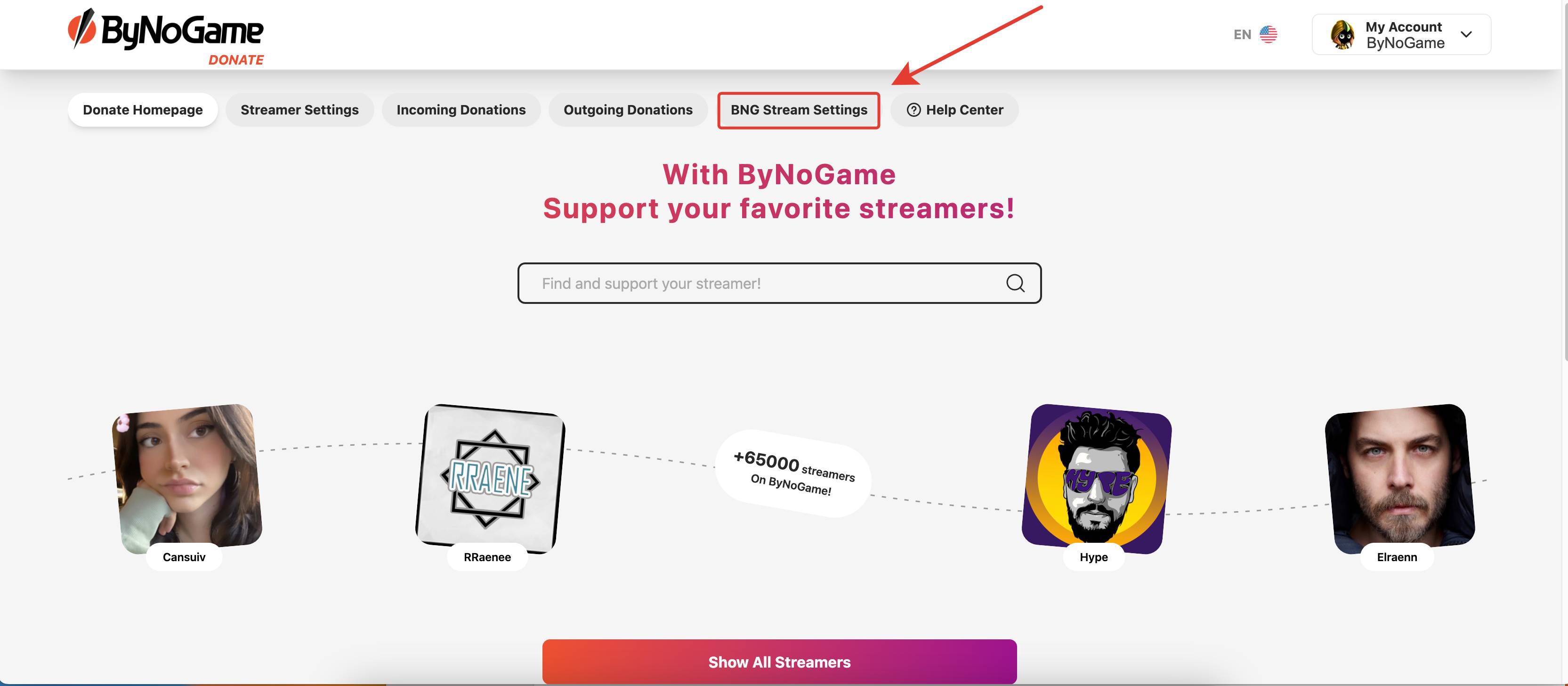
2) In the opened page, go to the Design Message section where you can choose your desired color, font style, and size. You can also add your preferred visuals and sound effects.
You can easily make all the message customizations you need from this screen. 🤩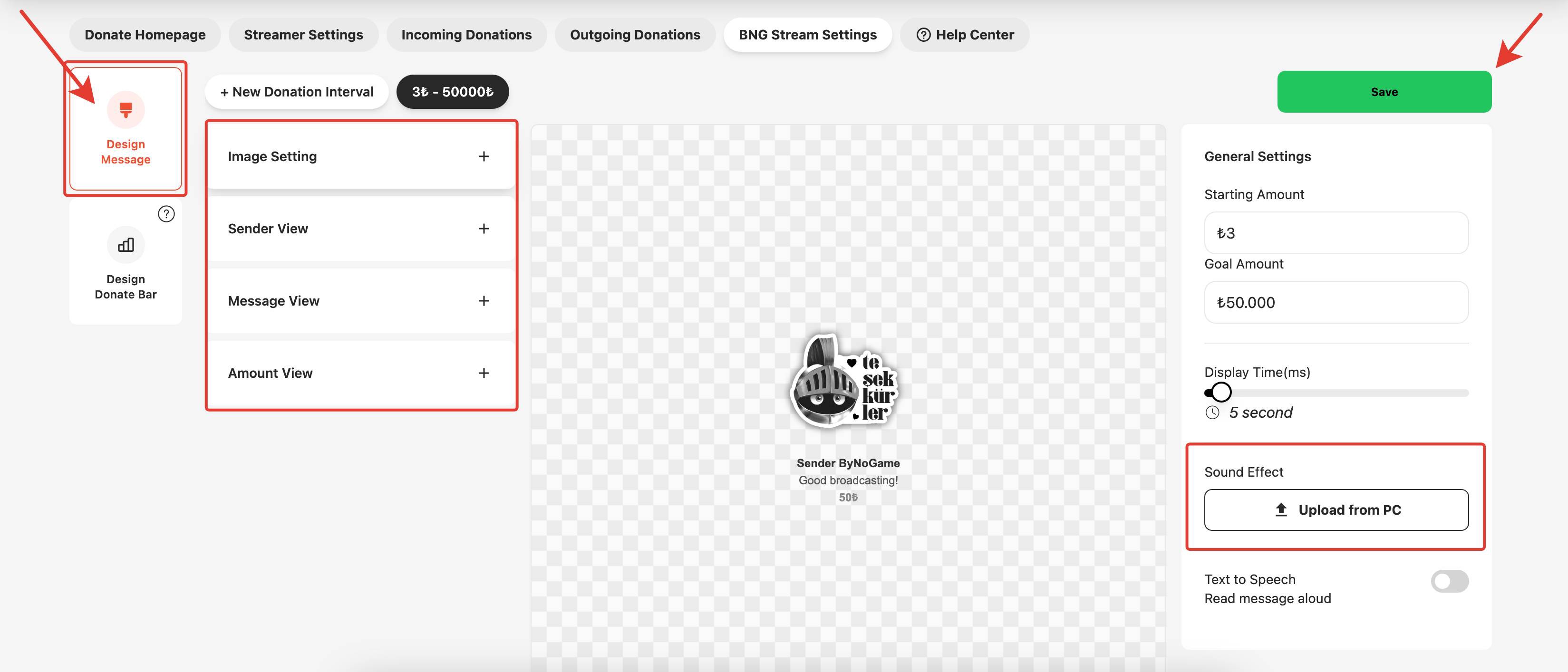
Use your imagination and show off your creativity, as all the settings on this screen are entirely up to your vision!
Once you've completed all your settings, don't forget to click the "Save" button at the top right. This will make your message design ready to go live.
Congratulations, you now have a beautifully personalized donation notification just the way you want it! 🥳
Your donations are now even more cheerful. 🥳🥳🥳
💫 Wondering how to personalize your donation bar?
See: How can I customize my Donate Bar?
P.S: Did your new audio file not reflect on your donations even after updating it?
The solution is simple!
1) First, press the Windows Key + R to open the 'Run' dialog.
2) In the Run dialog, paste the following path: %appdata%\obs-studio\plugin_config\obs-browser/ into the "Open" field.
Then, click "OK."
3) Open the 'Cache' folder that appears.
4) Inside the Cache folder, you will see a folder named 'Cache Data.' Let's clear that folder.
Next, restart OBS.
The issue will be resolved. 😇 ByNoGame wishes you great streaming!
Did this answer help you?
0 out of 0 people found this helpful