

How to apply for the No-Cost Plan for Streamers?
Created: 2 years ago
No-Cost Plan helps eliminate the 5% commission fee you pay when withdrawing your donations.
If you want to withdraw donations via ByNoGame with No-Cost, the steps to follow are very simple. 😇
If you have 100 followers and have featured our logo in your last 7 streams, congratulations, you can also enjoy No-Cost!
You can submit your application here.
1) Visit Account > Donate > Streamer Settings.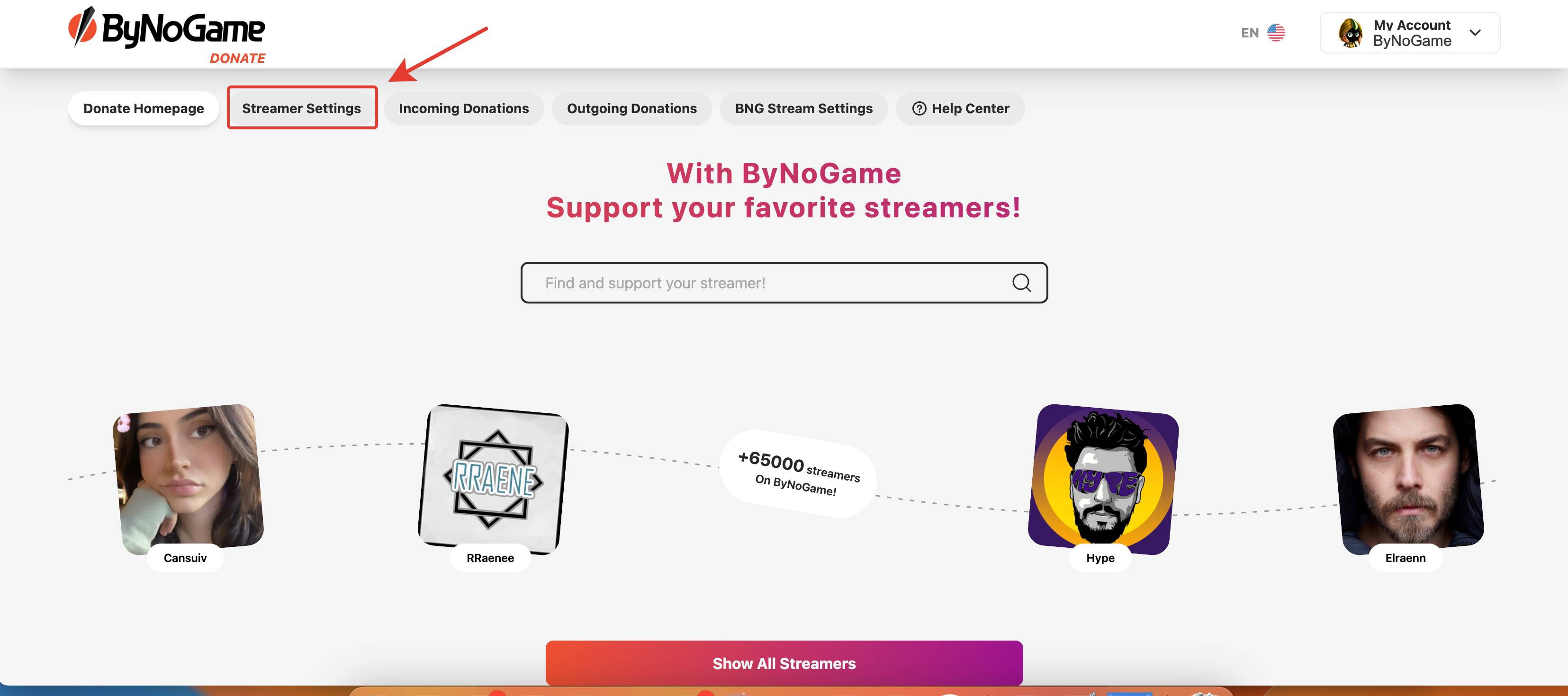
2) Scroll down on the page and use the Apply button on the No-Cost section. You can also access our logos right above this section.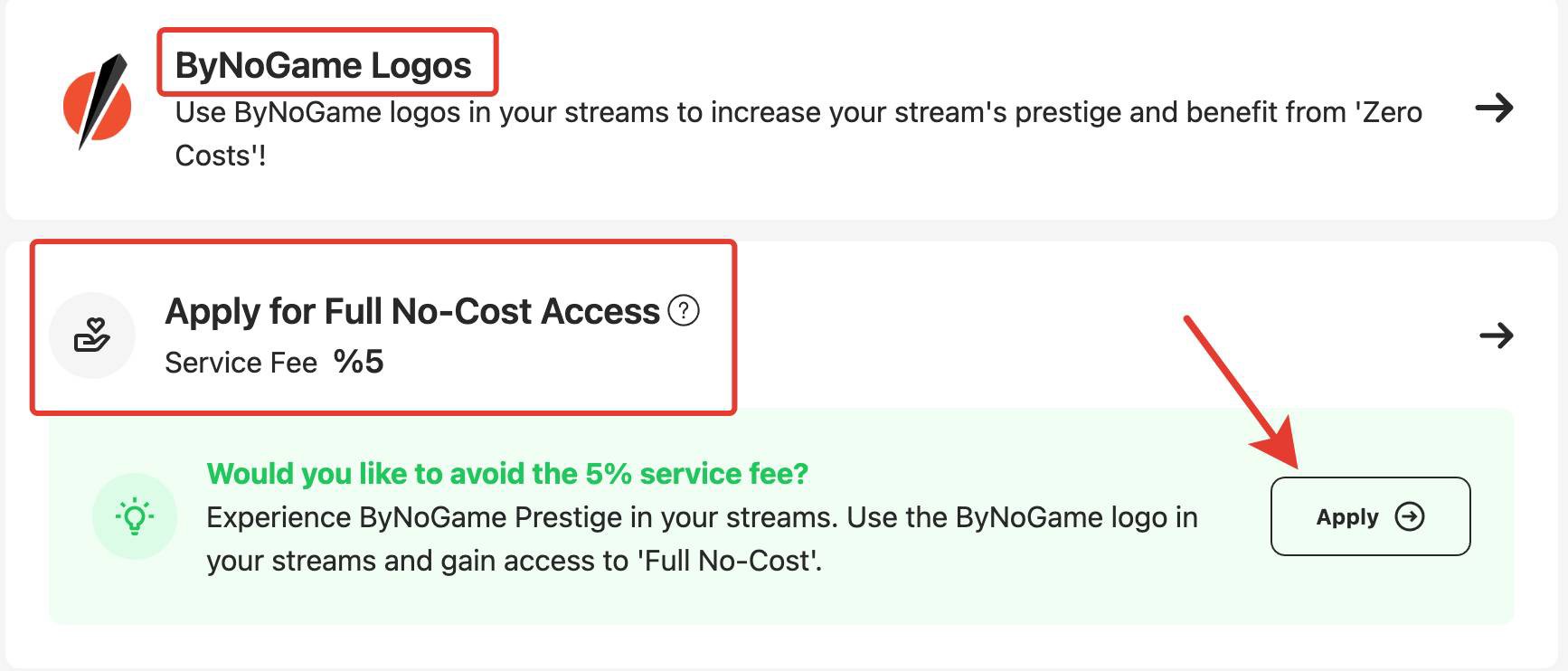
4) On the Side bar that opens, select the streaming platforms where you plan to stream with a logo and additional social media accounts.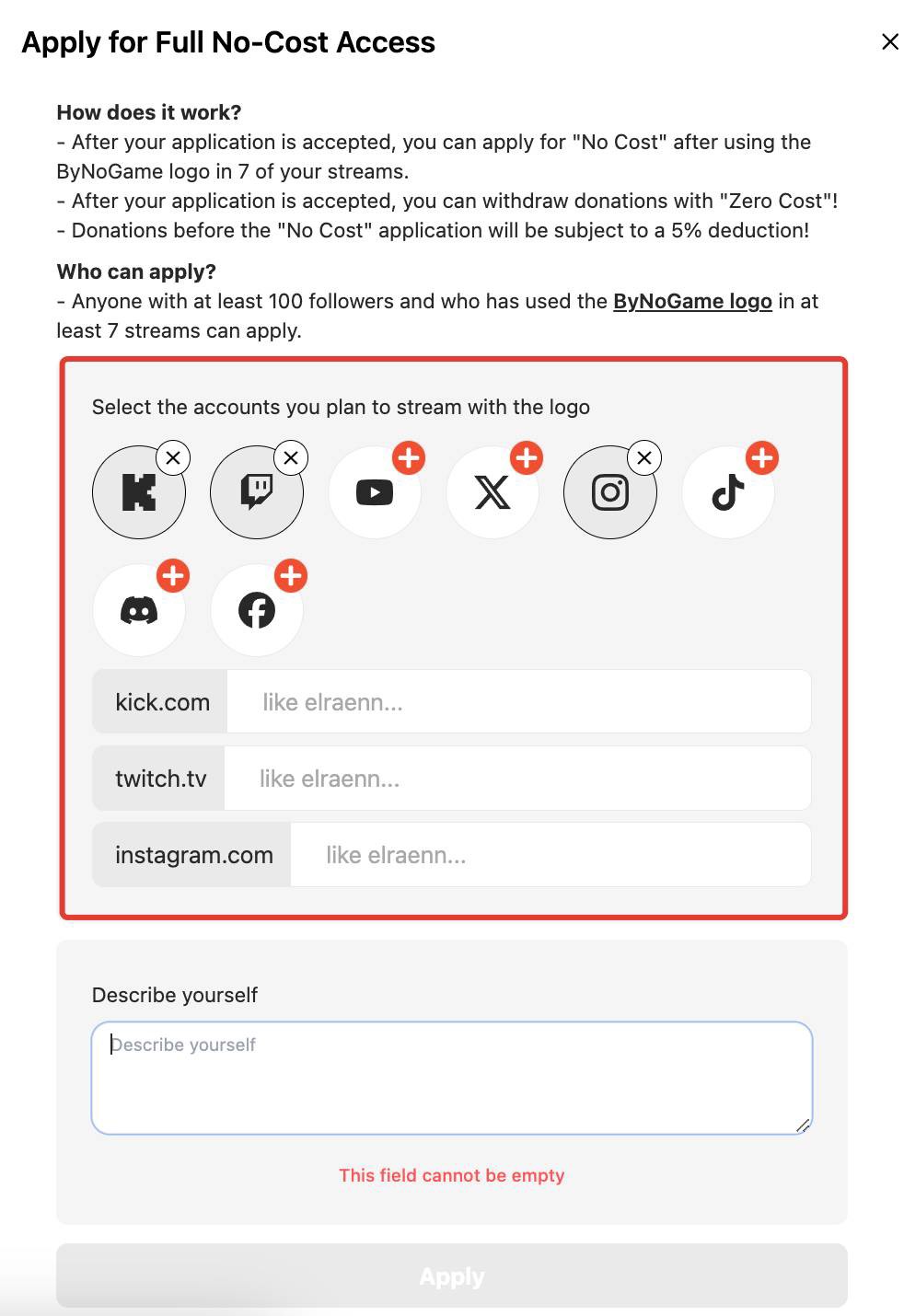
5) Tell us about yourself so we can get to know you and evaluate you accurately. (Maximum 250 characters.)
The text in the image is an example.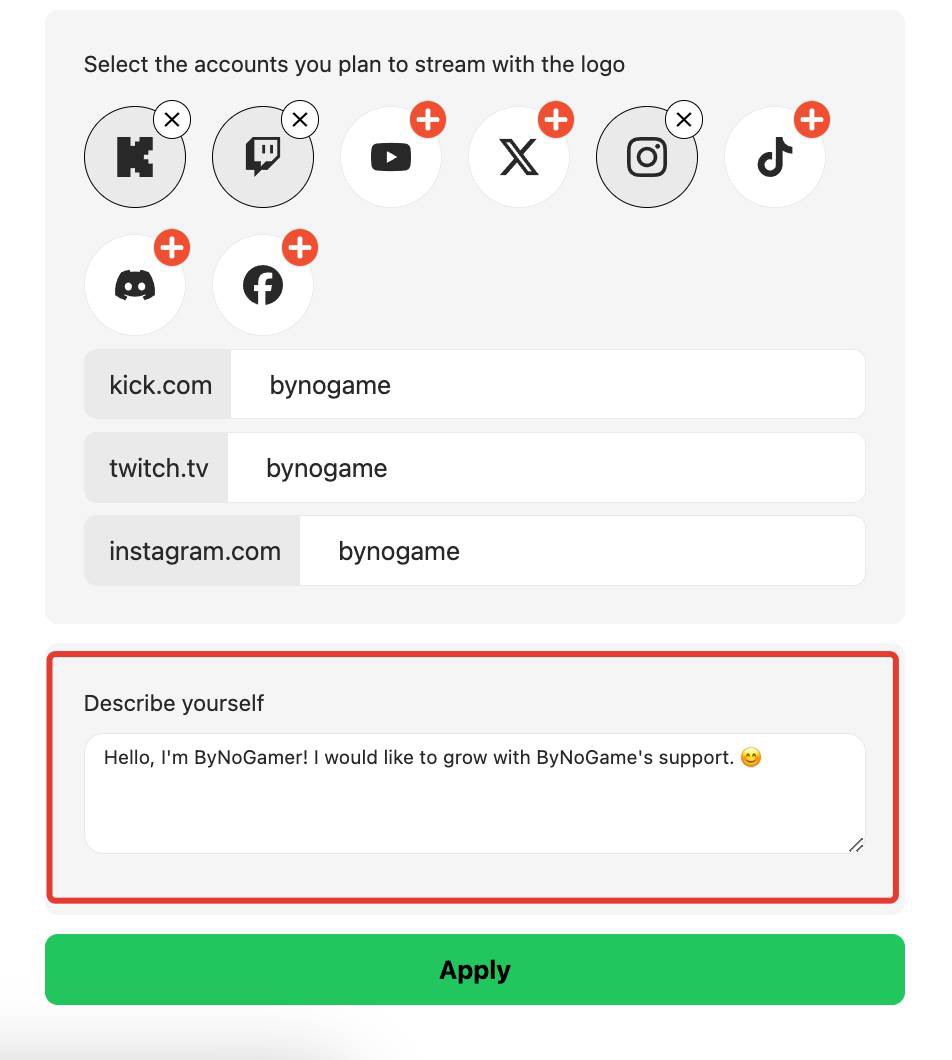
6) After filling in all the information, click on "Apply."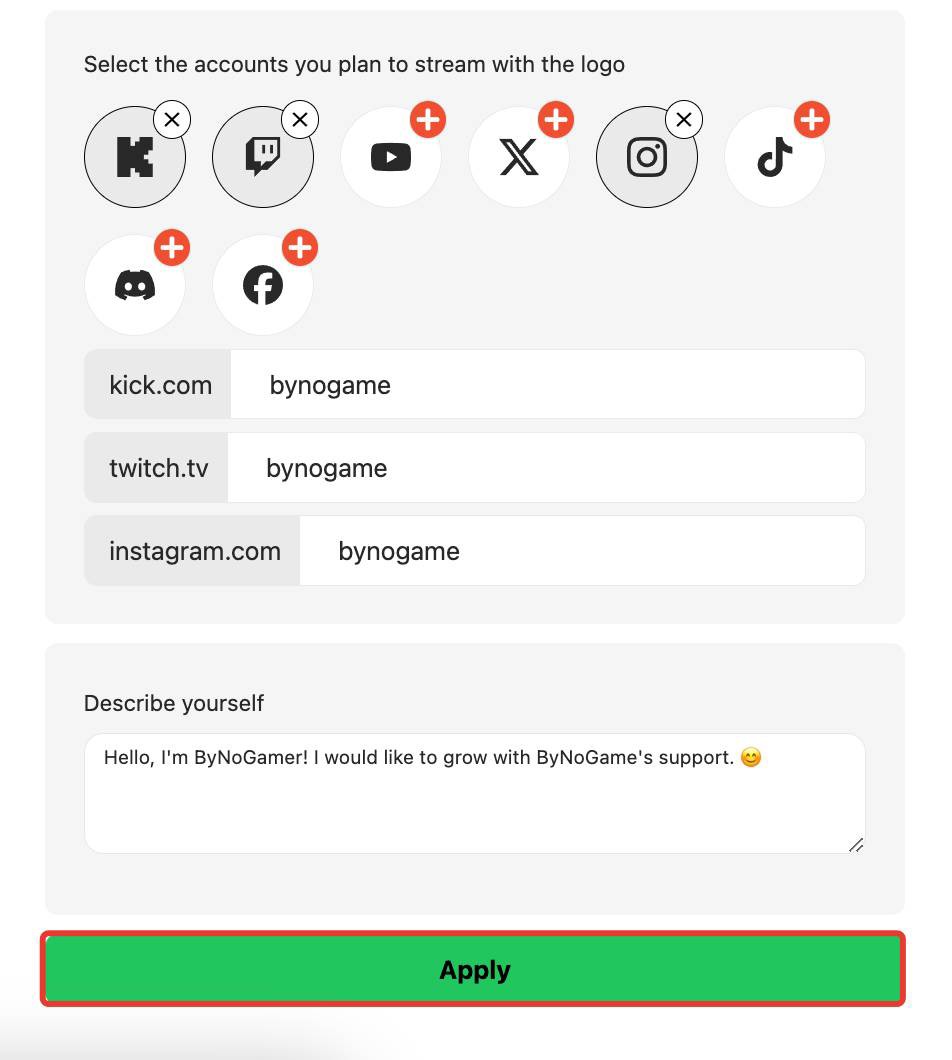
7) Congratulations, your No-Cost application has been received!
Your application will be thoroughly reviewed by our team and evaluated as soon as possible. 😇 💜 ByNoGame wishes you a great stream!
Did this answer help you?
0 out of 0 people found this helpful