

CS2 Skin Delivered, How Do I Use It?
Created: 6 months ago
Congratulations, you have received your order, the skin is now in your inventory. 🥳 So what will you do now?
First of all, you need to log into the game.
After logging into the game, you should click on "Inventory".
You will see the skin you purchased in the inventory.
When you right-click on the skin, you will see the options shown in the image below.
If you want to use the skin in the game, you should select one or both of the options "Change for CT" and "Change for T".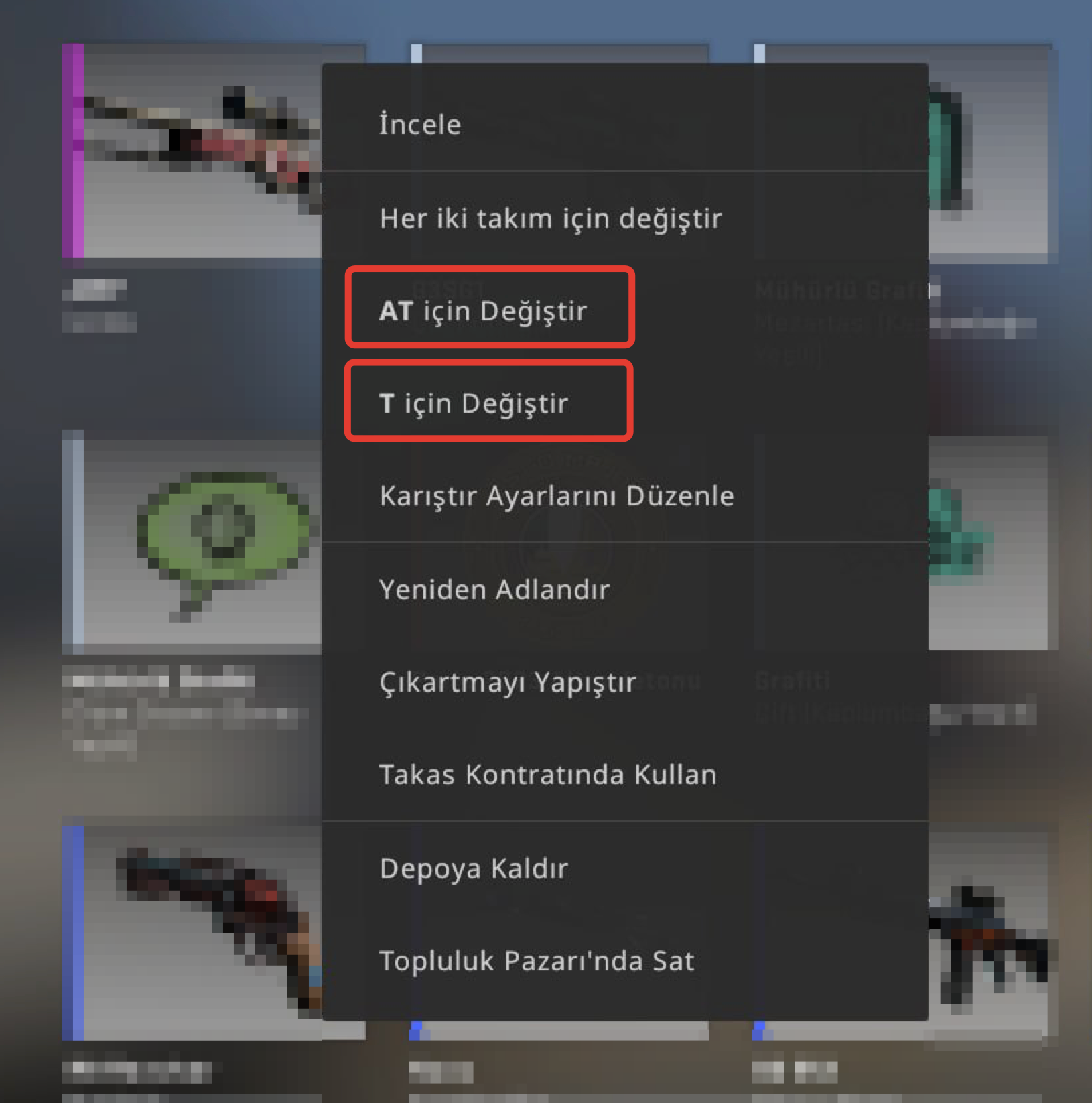
CT: Counter-Terrorist
T: Terrorist
If you select only one, you will only be able to use the skin in the group you chose; if you select both, you will be able to see the skin in both groups.
That's all the steps, good luck out there!
We wish you good games. 😎
Did this answer help you?
0 out of 0 people found this helpful