

How to Buy a CS2 Skin?
Created: 6 months ago
Want to get a skin for CS2 but don't know where to start?
Then this guide is just for you! 🙃
By following the steps below, you can own your dream CS2 skin in seconds. 💥
*ByNoGame works with a prepaid system. So the first step is to top up your ByNoGame Wallet balance.
For questions about payment, you can find answers here .
1) Click on Homepage > CS2 Skin to find the skin you're looking for.
2) On the page that appears, you can list skins by categories and search using the filters above by price, appearance, weapon type, seller status, and other details.
⚡ ByNoGame Store tab lets you see skins that are delivered instantly.
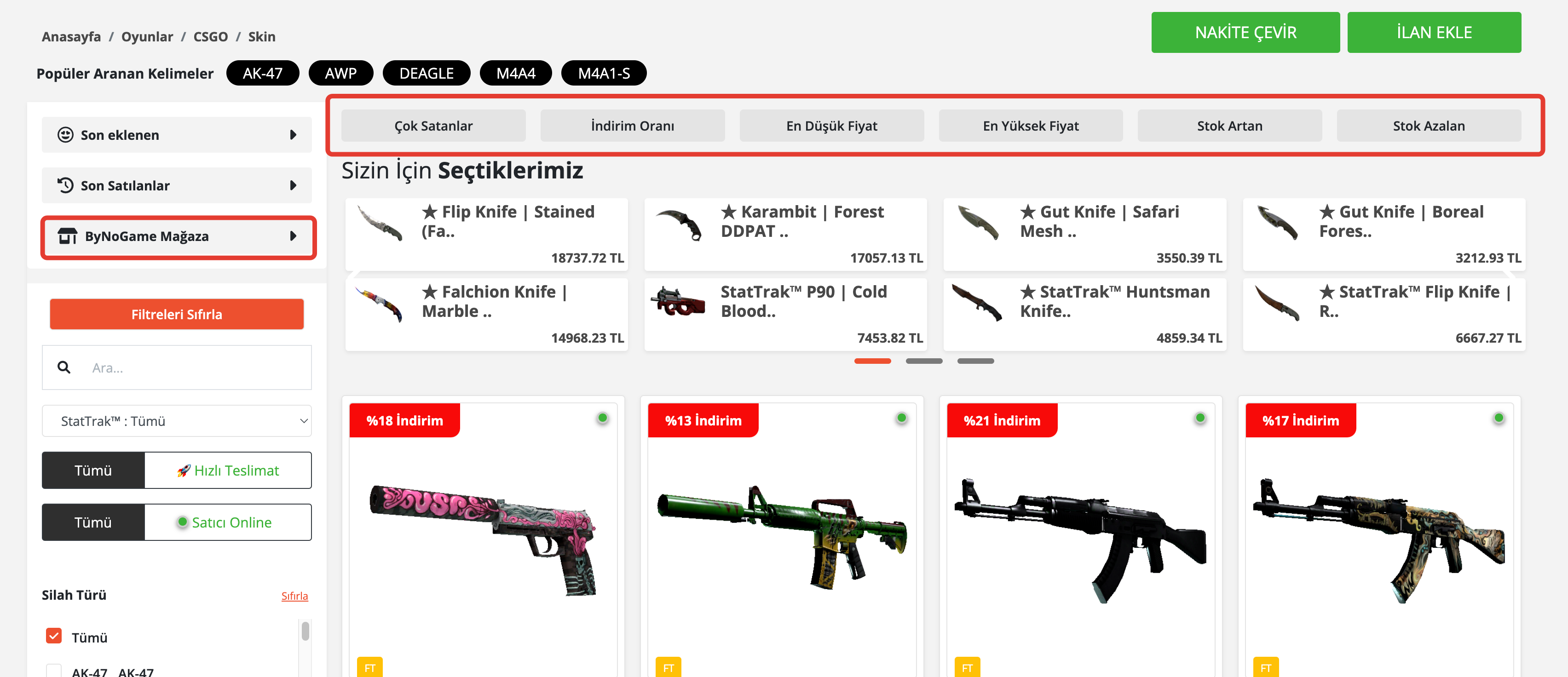
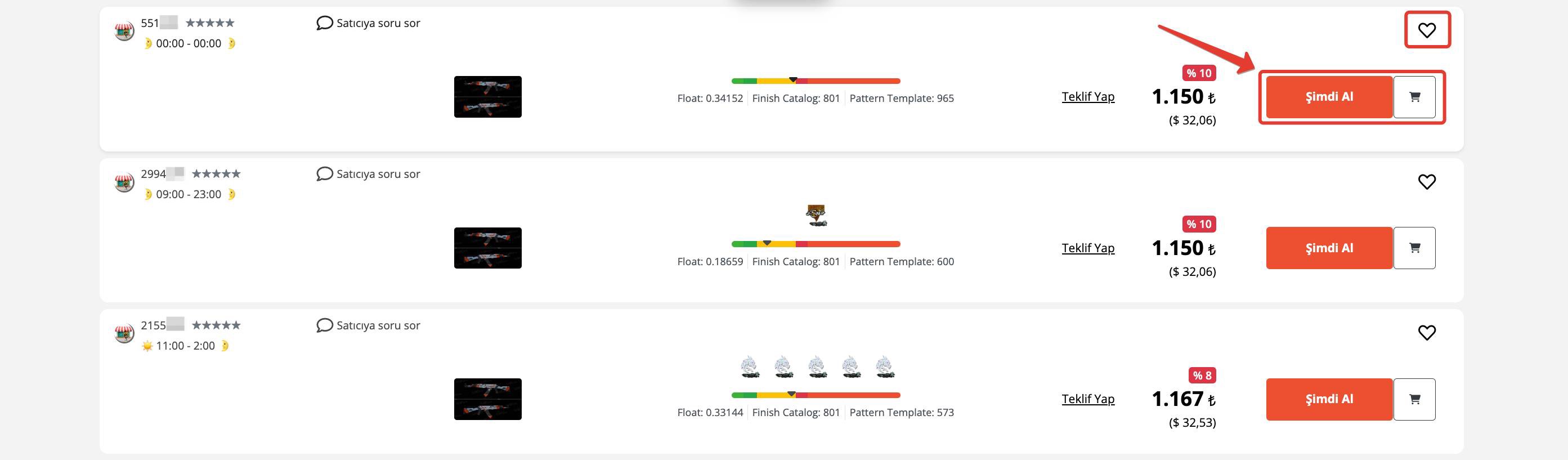
3) When you find a skin that interests you:
Add to Cart button lets you add the skin to your cart to continue shopping, or if you want to buy quickly, you can complete your purchase immediately by clicking Buy Now.
4) If you have previously saved your Steam Trade URL, you can select it by clicking the “Select” button from the list.
If you need to add a new URL, you can use the “Add New Trade URL” option. :)
After making sure you have selected the correct URL, just press the “Complete Purchase” button! ✅
.png)
5) Congratulations, the Skin is Yours Now! 🥳
Your order has been successfully placed! 🎉
You can track the delivery time from the “My Orders” page.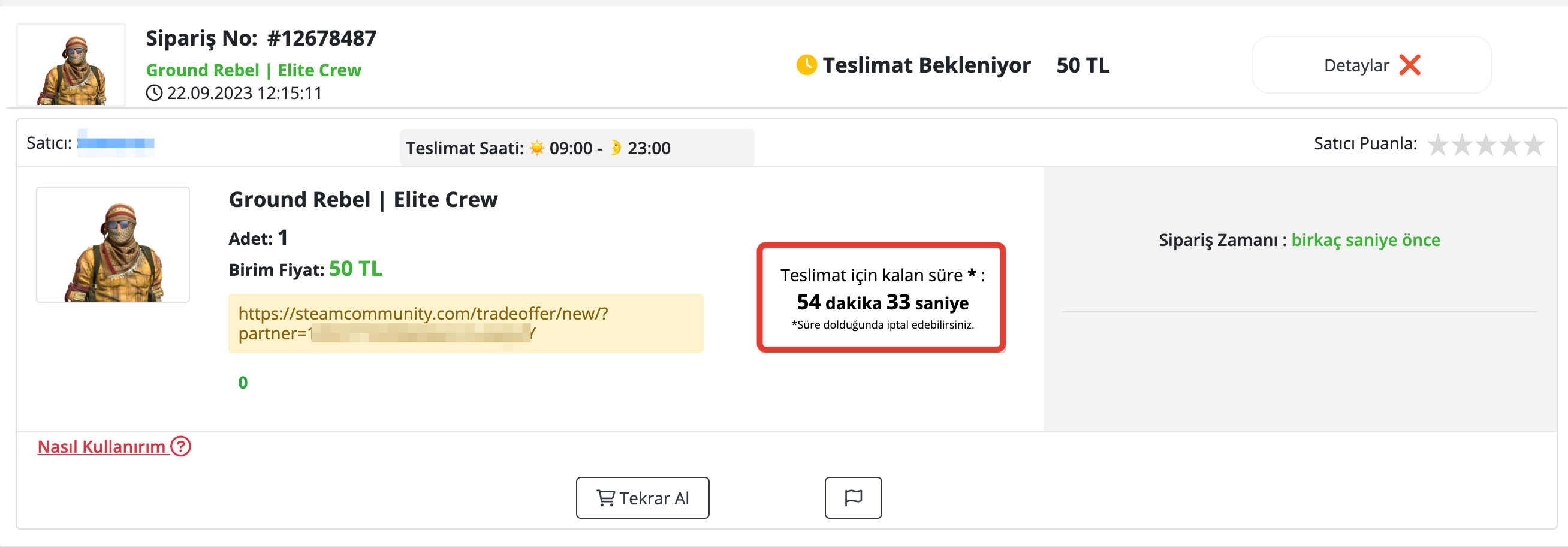
⏱️ Delivery Time:
Seller delivers the skin within 60 minutes during store delivery hours.
If the delivery time has passed, you can create a cancellation request from the “My Orders” tab or wait a little longer.
Did this answer help you?
0 out of 0 people found this helpful