

What is payment with Zen?
Created: 7 months ago
The ZEN payment option is active on our site, allowing you to make payments easily from anywhere in the world. 🥳
You can shop easily using your own currency with ZEN.
How do we do this? 🤔 Here are the steps;
1) On the "Make a Payment" page, select your country or Global to see the payment methods offered by ZEN.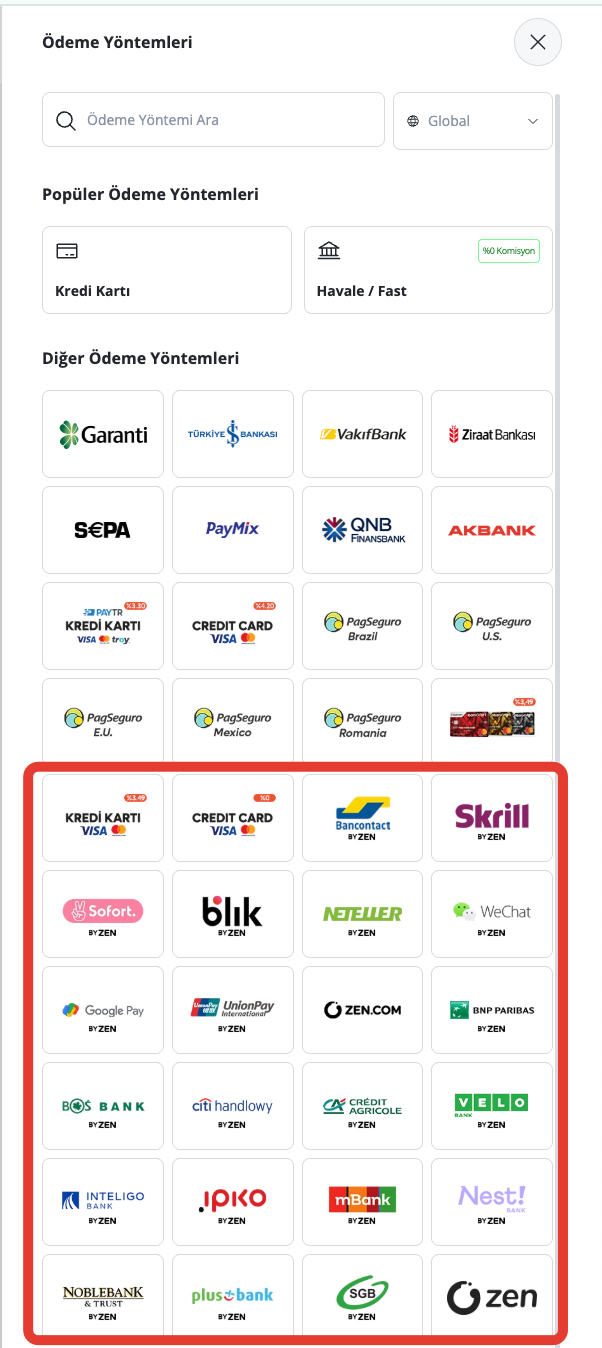
2) Enter the amount in TRY you want to pay in the box; then select the currency you want to pay with.
Enter the phone number you actively use and click the Send button. 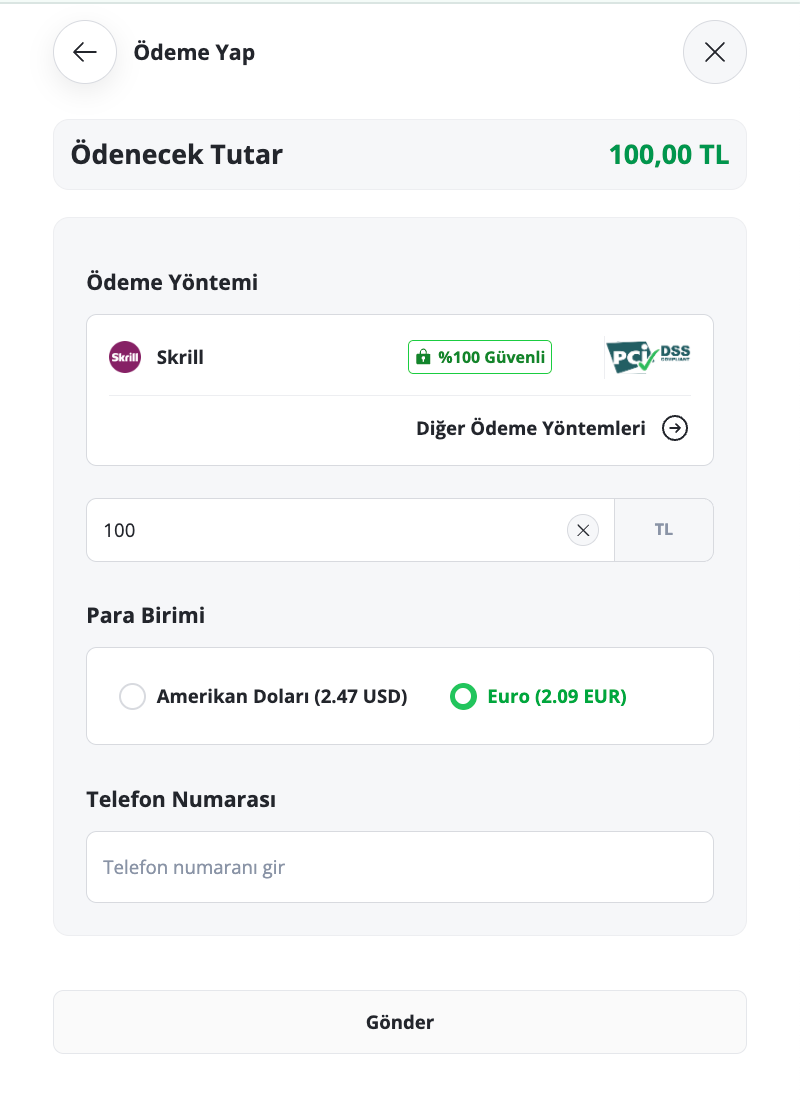
When you enter the TRY amount you want to load, the equivalent amount will be deducted from your USD/EURO account.
3) On the opened screen, you can select your own country by clicking on the country at the top left corner. 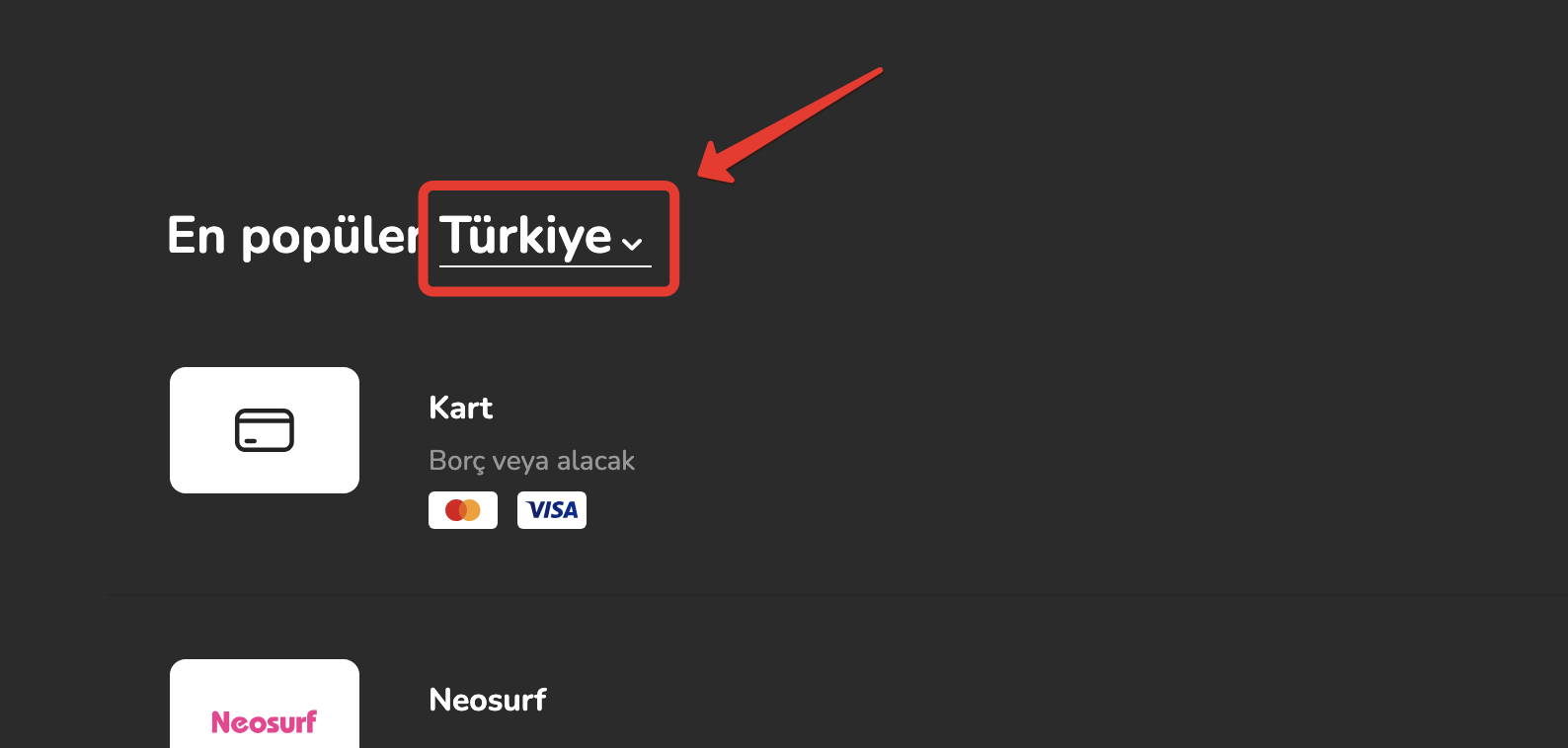
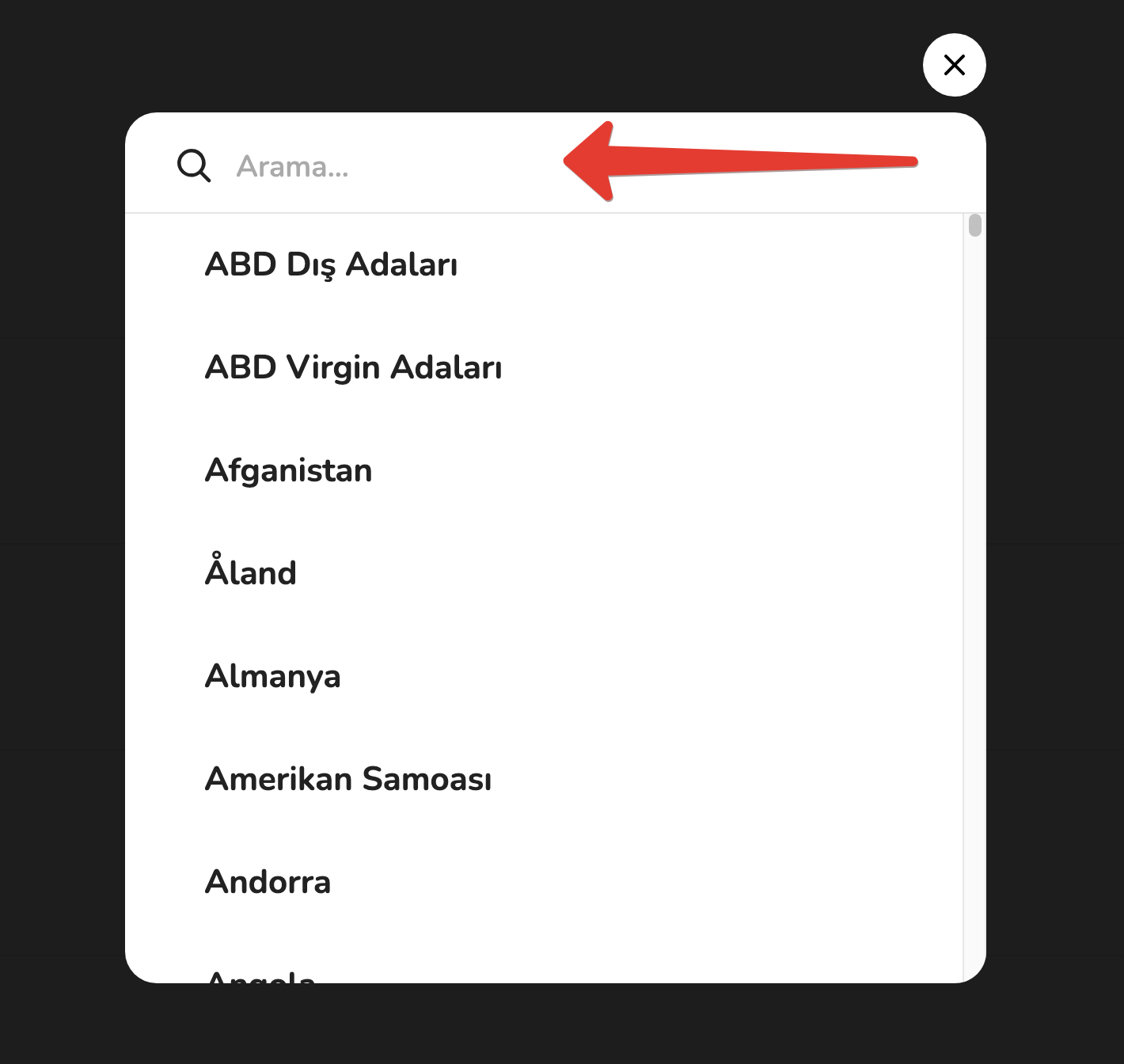
You can use the "Search" section to find your country faster.
4) On the left side, you will see all the payment options you can use.
On the right side, you can continue by selecting one of the currencies supported by these payment methods.
As the last step, click "Pay" to proceed with the transaction.
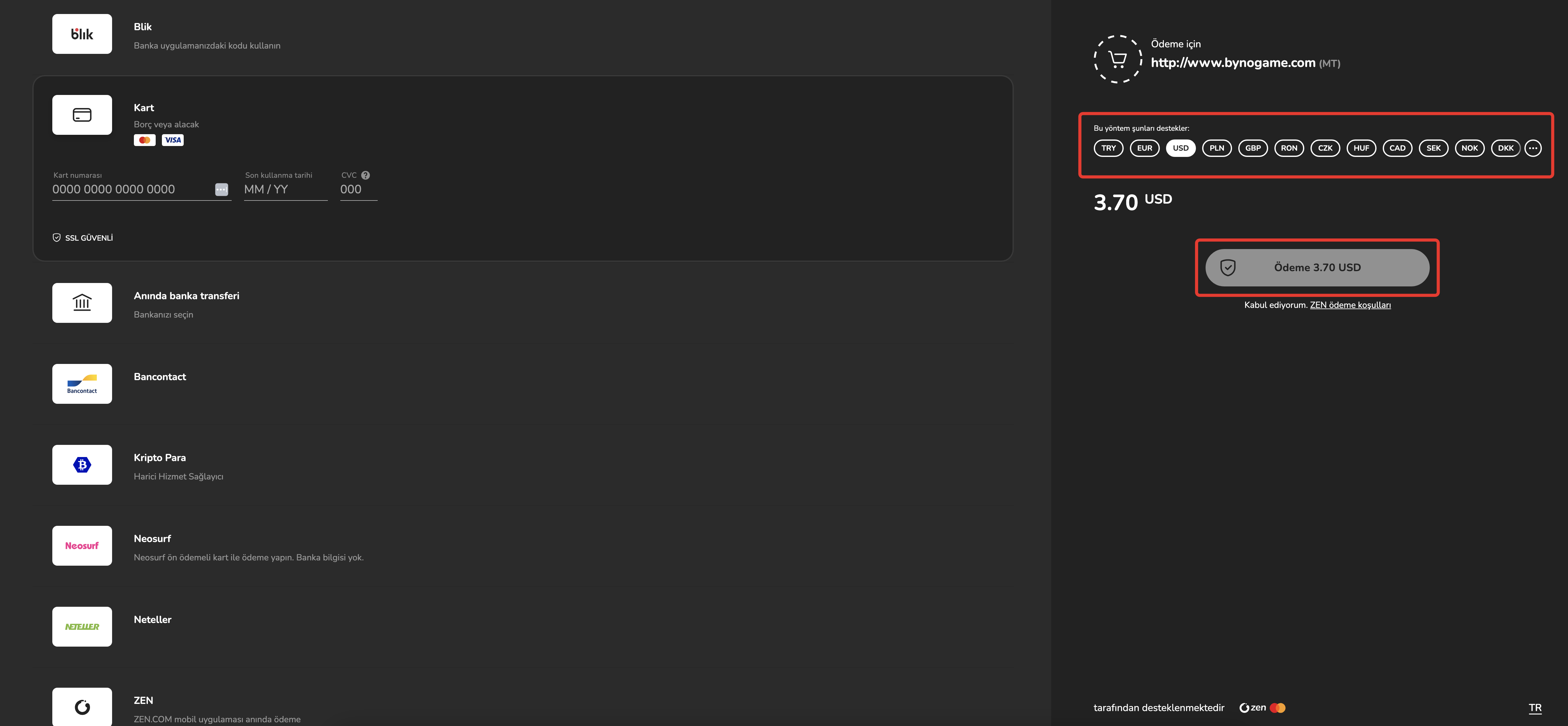
Your payment will be credited to your ByNoGame wallet within approximately 10-15 minutes after filling in the other payment details that appear.
Congratulations! Your payment was successful. 🥳
Did this answer help you?
0 out of 0 people found this helpful