

How to unseal the Ring?
Created: 6 months ago
Congratulations! You are now a new Knight in the world of Knight Online!
Let's take a look at how you can assign your new character to your account 🧐
First, let's mention a few things you need to know;
- To be able to unseal the Ring you received, your account must be of the same nation. For example, if the character inside the Ring is Karus, your account must also be Karus. If your account is of a different nation than the Ring you received, you can change your account's nation by purchasing the Nation Transfer item from the Power Up Store.
- There must be 1 free character slot on the account where you will activate the Ring. If there is no free slot, you can purchase the Character Seal Scroll from the Power Up Store and convert one of your account characters into a Ring to prepare your account for the new character.
If everything up to this point is clear, let's move on to the steps. 👇
📢You must check the Ring's features before unsealing it!
- Before unsealing the Ring you received, right-click on it and check its features such as skill, stat, level, np, class, nation, and 70 Quest in the window that opens.
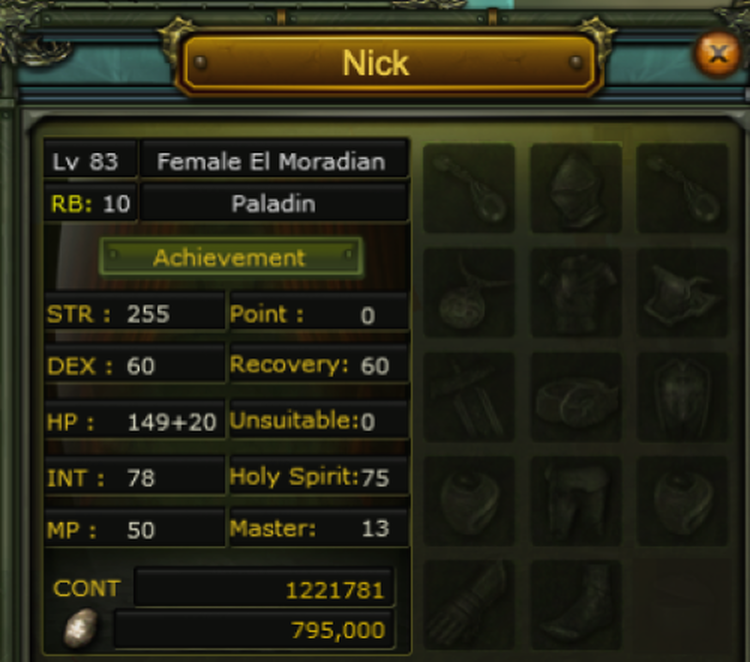
- Now, click on the Achievement tab to open the list of achievements and titles the character has.
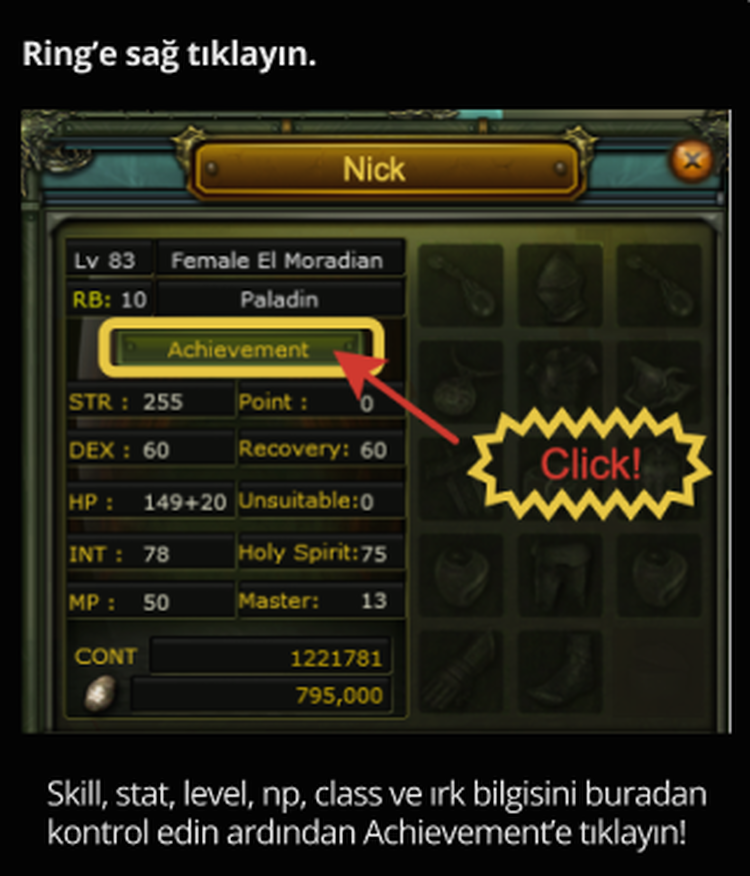
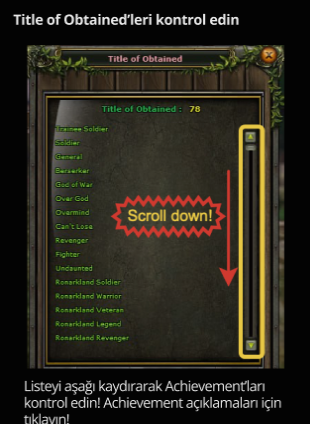
- Scroll down the list to find the achievement you are looking for. (Which are the most commonly used achievements?)
If everything is clear up to here, now we can unseal the Ring. 🤗
⚠️🛑Remember! If the information in the listing you ordered is important to you, to avoid possible problems, you must record an uninterrupted screen recording while unsealing the Ring and checking it in-game.
❌Do not use the in-game video recording!
Since you need to log out and log back in after unsealing the Ring, the in-game recording will be interrupted.
✅📱You can do the screen recording much more easily and without interruption using your mobile phone.
- Go to any Inn Hostess and right-click to open the menu. In the window that opens, click on the Character Seal / Cancel option.
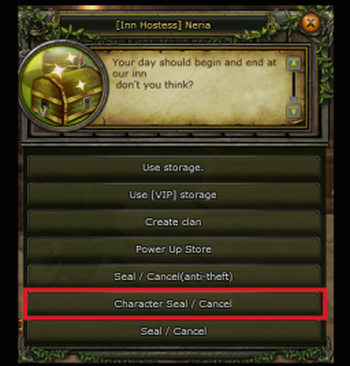
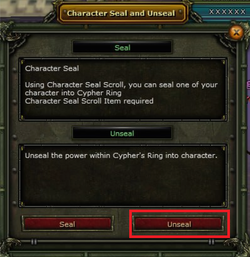
- Click Unseal in the opened window.
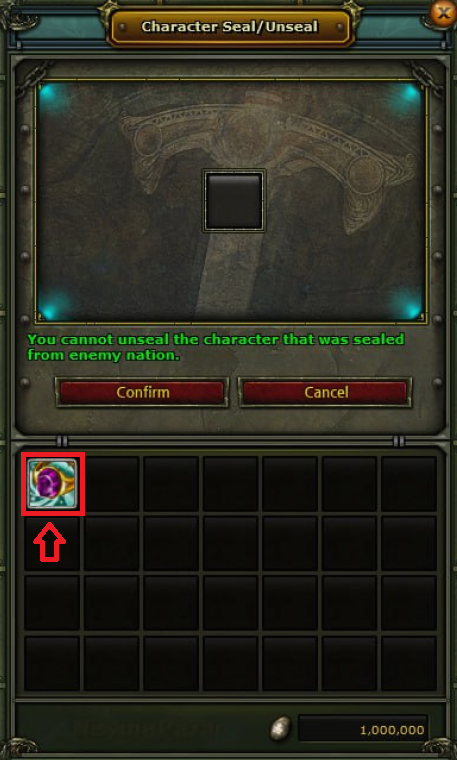
- Now either right-click the Cypher Ring or drag it to the box. Then click Confirm.
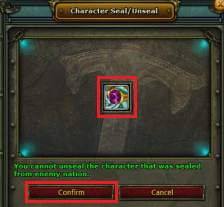
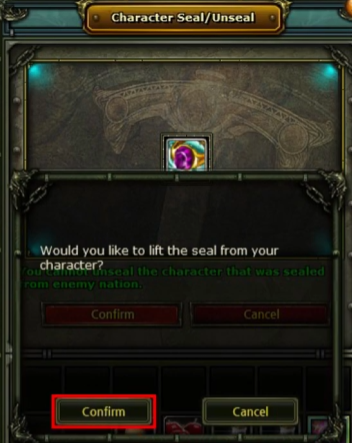
- In the opened menu, click Confirm again.
- Select the slot where the character will appear and click Unseal.
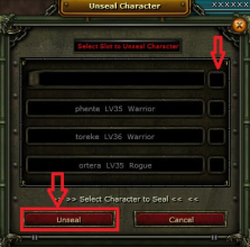
Congratulations! Your ring unsealing process is complete. You can log out and log back in to continue playing with your new character.
You can also follow the steps in the video below. 👇
 ByNoGame wishes you good games!
Did this answer help you?
0 out of 0 people found this helpful