

How to Ring My Character?
Created: 6 months ago
Dear Knights!
In this article, we will show you how to turn your character into a Ring. 🤗
First, let's list what you need to do to avoid errors while Ringing;
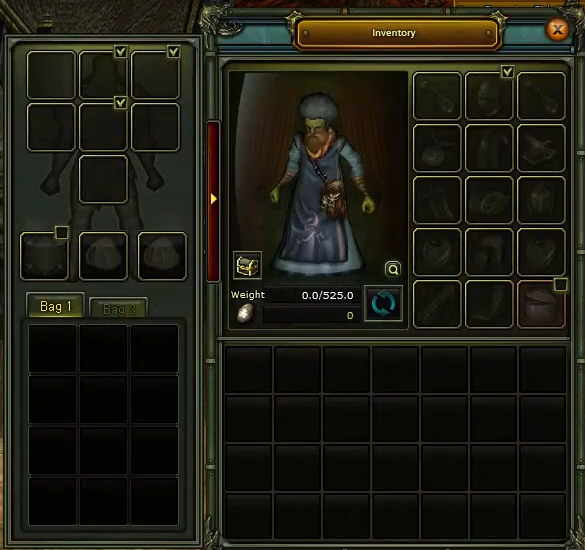
- Log in with the character you want to ring and make sure the inventory is completely empty! (Including Magic Bag. No need to empty VIP.)
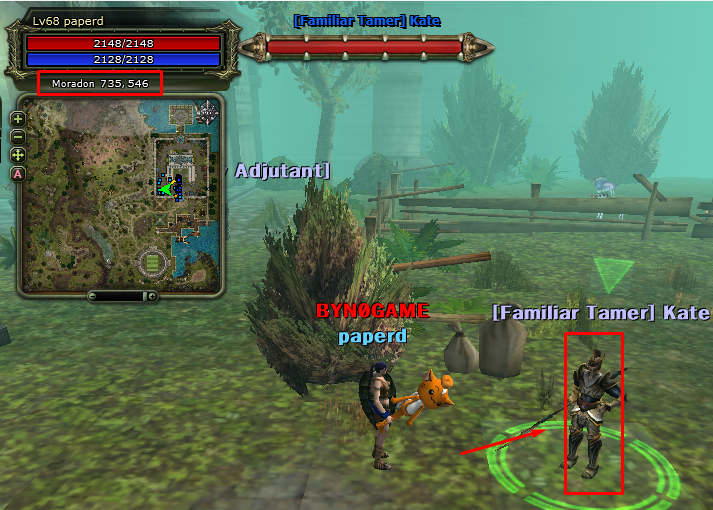
- You must have completed the Kate (Familiar Tamer) missions of the character you want to ring. If not completed, please complete them.
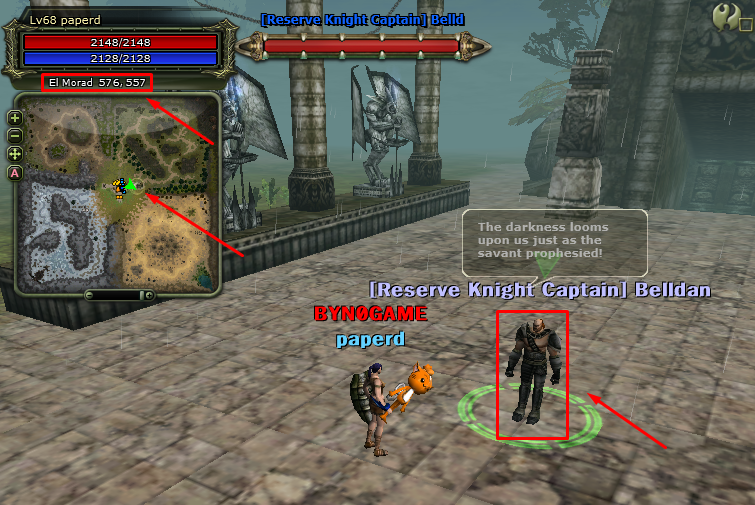
- You should not have received a report in the Juraid Mountain (JR) event. If you have received a report, go to the NPC who enters the JR event on the Eslant map and reset the score by paying some coins in-game.
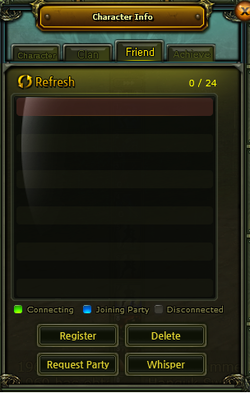
- Clear the Friend List of the character to be Ringed.
- If you use auto loot on your character, you must also transfer the auto loot items to your bank to ring. Use the Summon Pet skill for this. Then press the P key on the keyboard to access your pet's inventory. In the opened window, go to the Item section and make sure your pet's inventory is empty. Even if your pet is not on your character, the auto loot items are counted as being on your character. So, make sure there are no auto loot items with your pet!
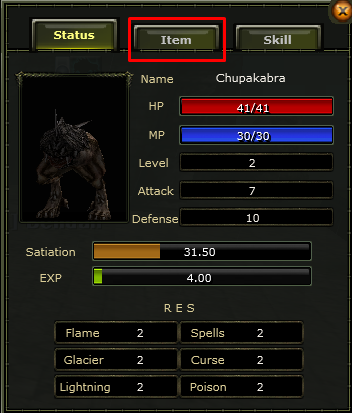
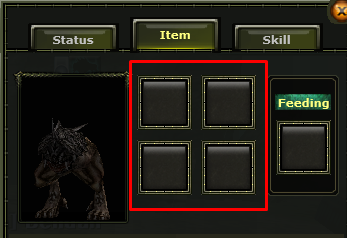
If everything above is complete, log in to the secondary character of the character you will ring.
- Open the Power Up Store in the game.
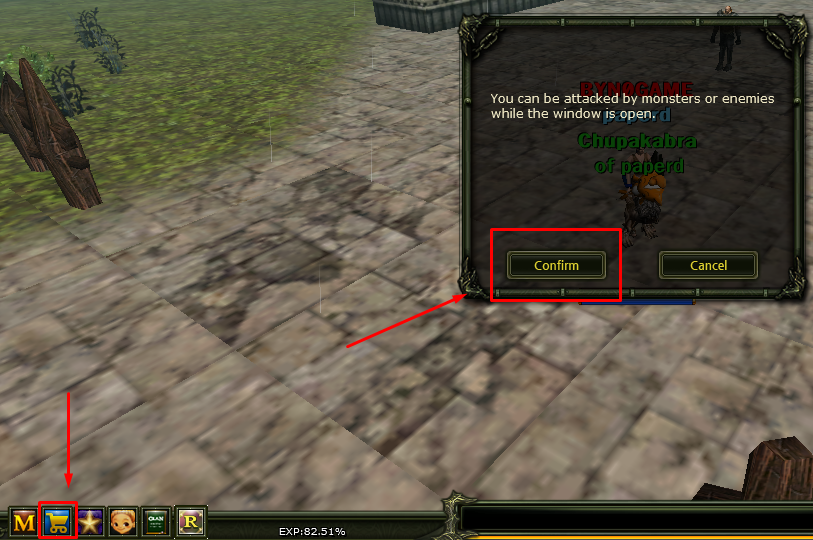
- Search for the Character Seal Scroll item in the search window.
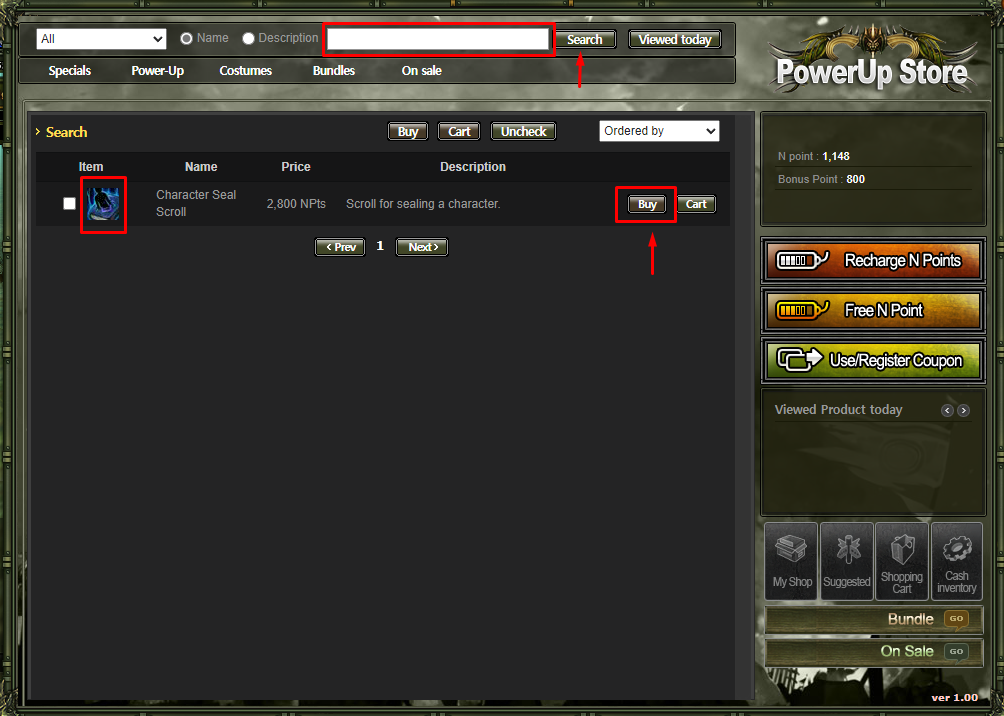
- Click the Buy option, then in the opened window click the Buy All option.
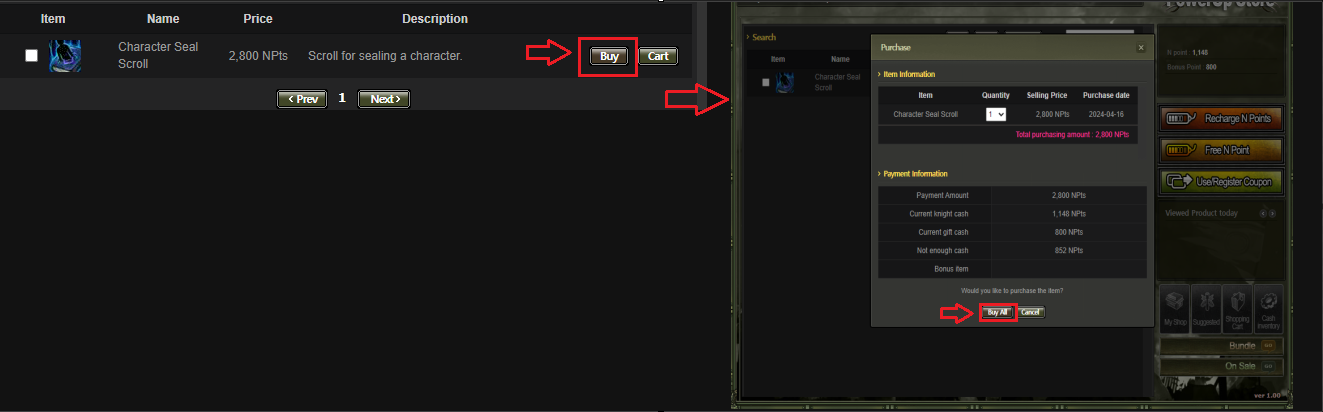
Now we can move on to the last step.
- Go to any Inn Hostess (bank) in the game.
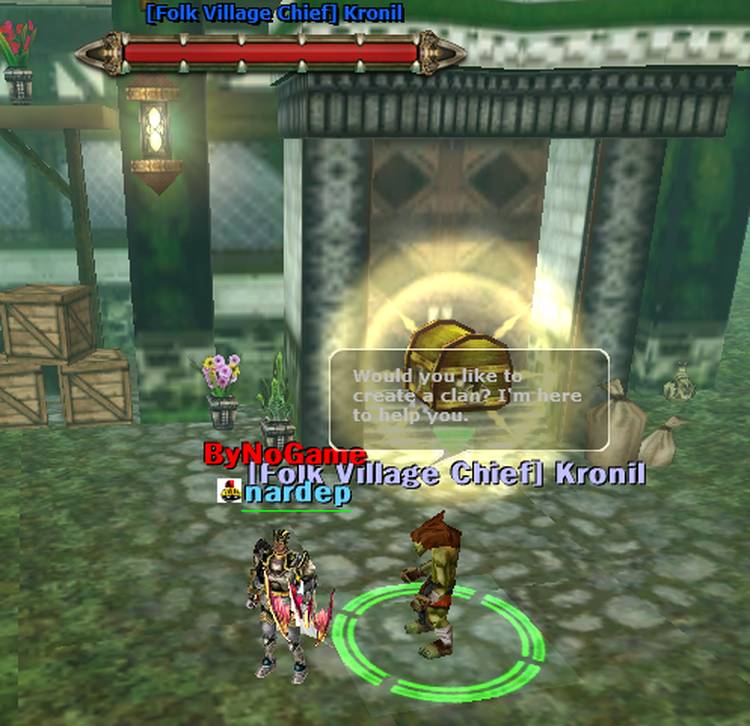
- Right-click the NPC, then in the opened menu click Character Seal / Cancel, then click the Seal option.
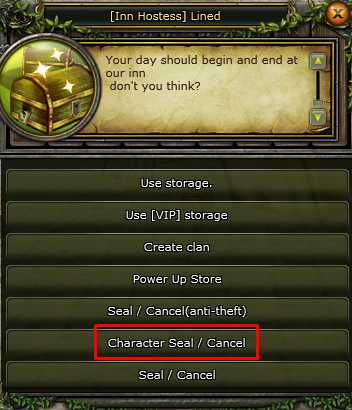
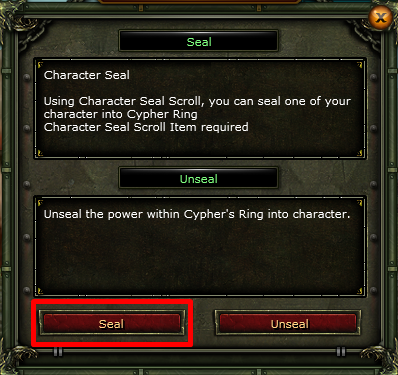
- Drag or right-click the Character Seal Scroll item and place it into the empty box.
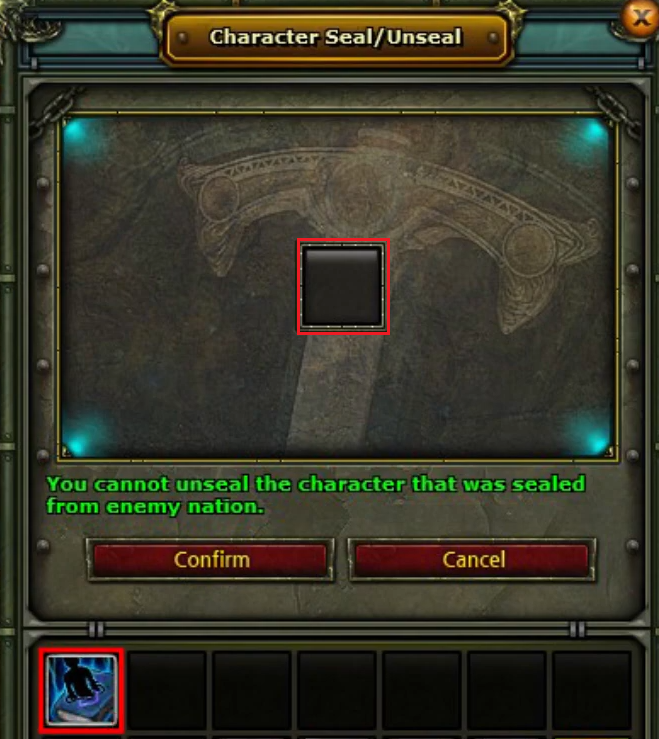
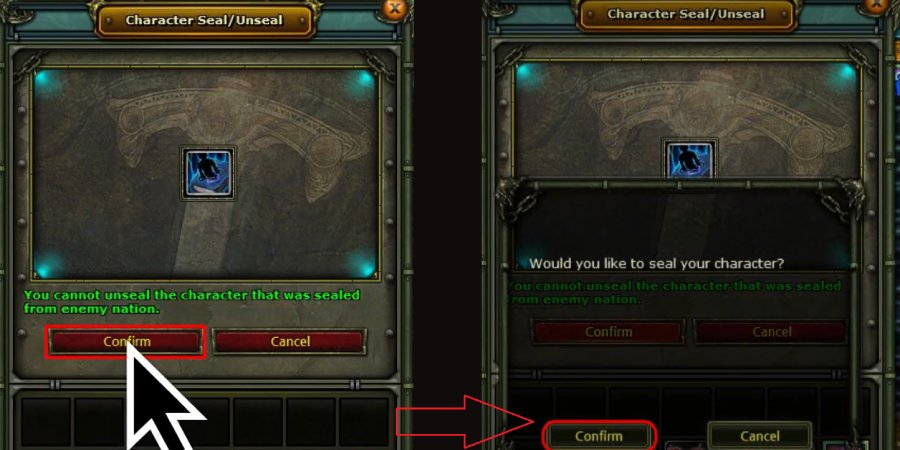
- Click Confirm and then click Confirm again in the opened window.
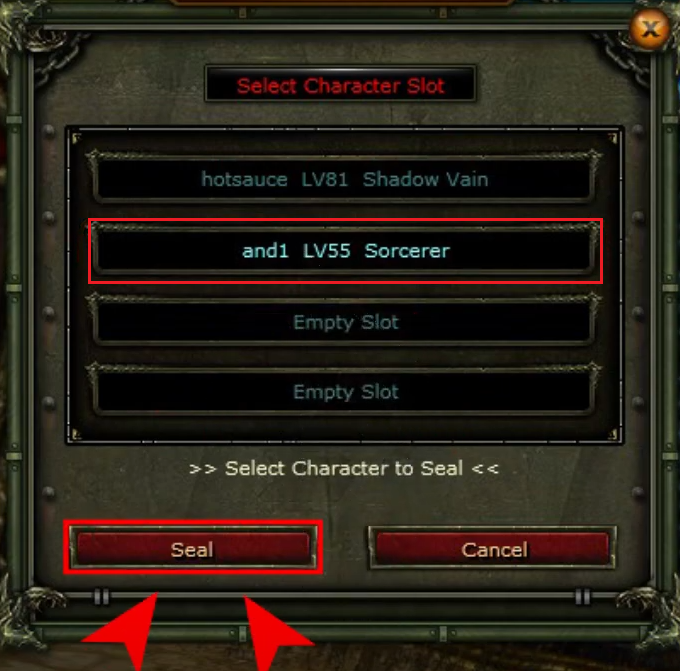
- Select the character you want to ring and click Seal.
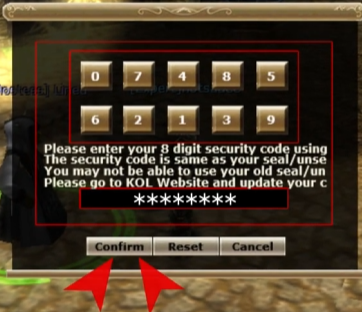
- As the last step, enter your 8-digit item lock password and click Confirm.
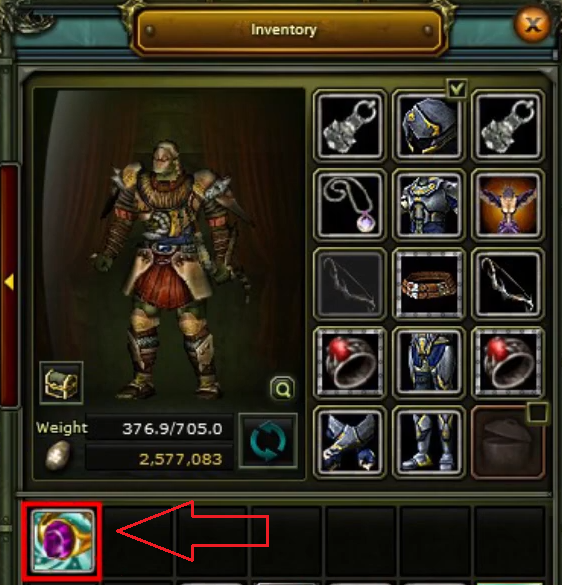
- Open your inventory and you can see your Ring. 🥳
For detailed information, you can watch the video below. 👇 ByNoGame wishes you good games!
Did this answer help you?
0 out of 0 people found this helpful