

How to add donate bar with Bng Stream?
Created: 3 years ago
The Donate bar is an effective way to make viewers' donations visible.
By instantly reflecting your goal and the amount raised:
- It can increase viewers' motivation to donate,
- It can gain trust by providing transparency,
- You can add a more dynamic and remarkable atmosphere to your broadcast. 🥳
1- When you complete the BNG Stream installation, your donatebar link is automatically created.
Go to Broadcaster Settings and copy your Donatebar link.

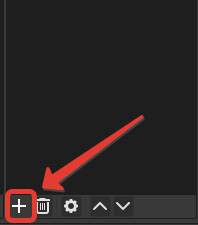
2- Switch to the OBS screen, click Sources > Add Source.
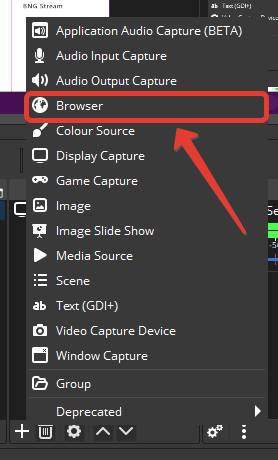
3- Select Browser.
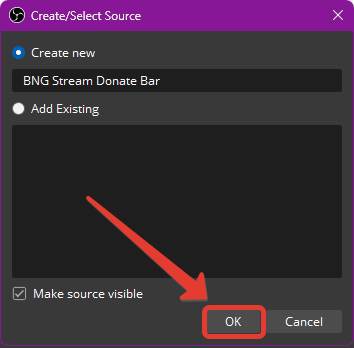
4- Add a name to your source and click ‘OK’.
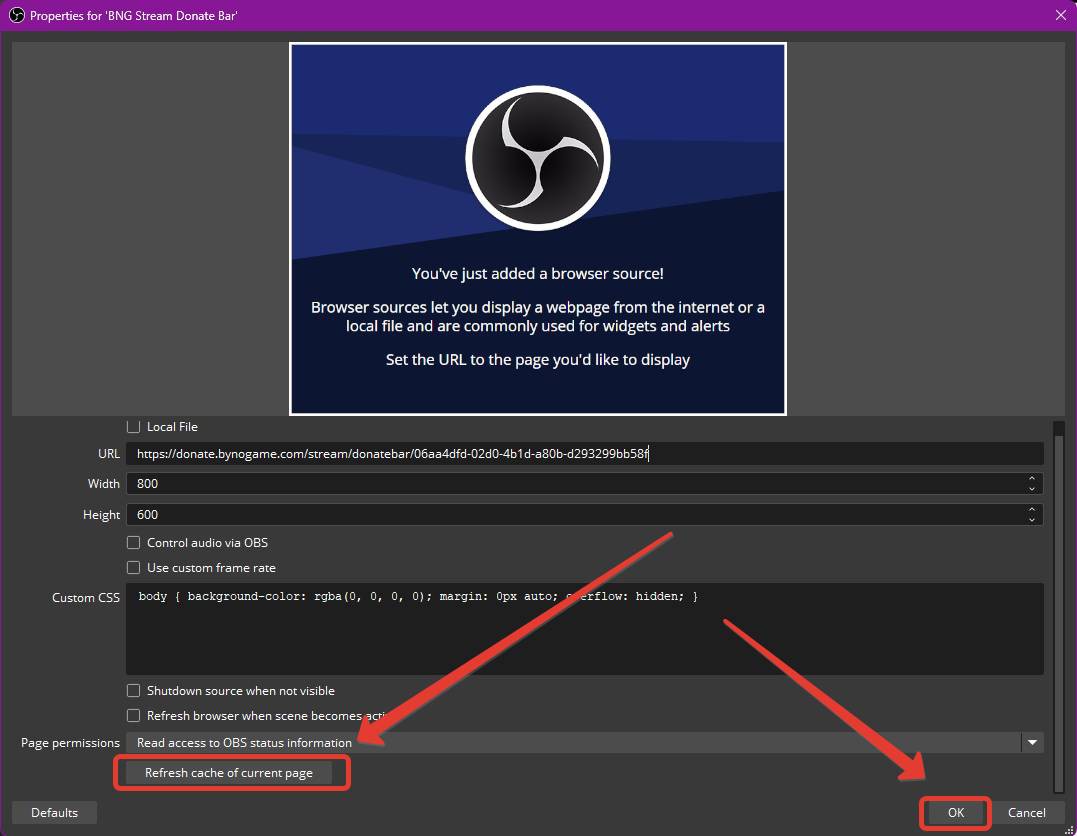
5- Paste your Donate Bar URL that you copied from our site into the Link Address.
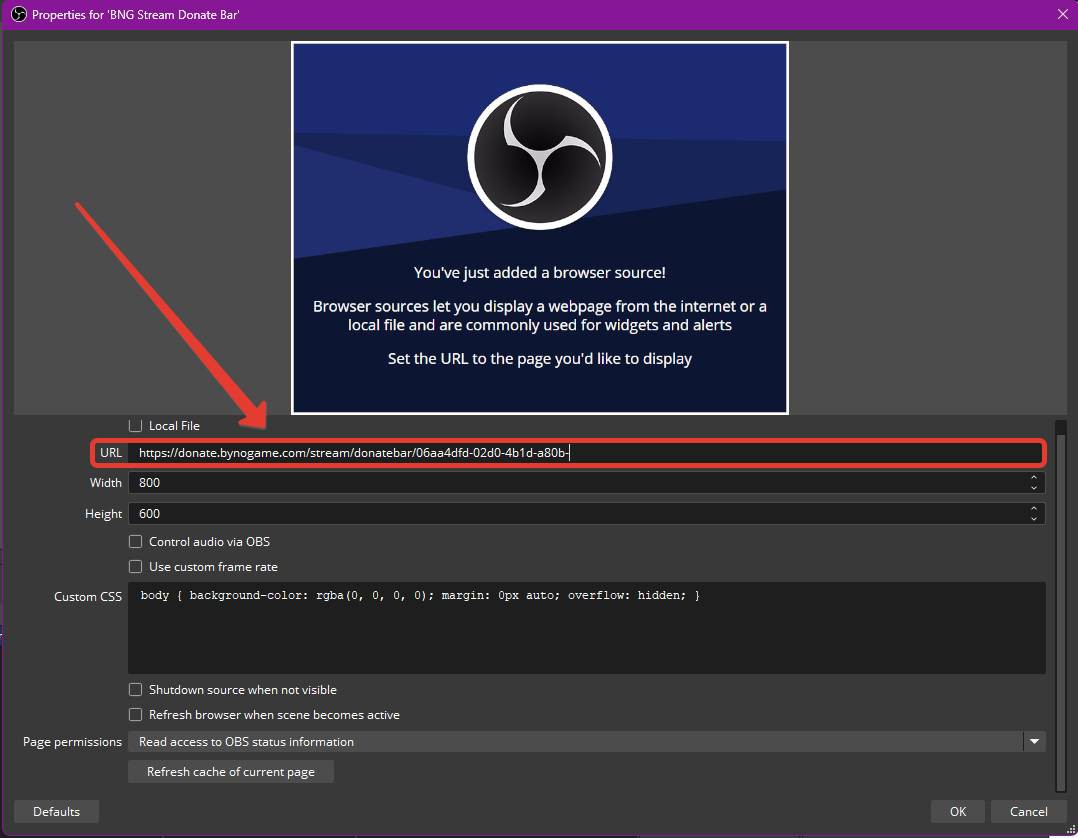
6- After scrolling down the page a little, click on the ‘Clear Current Page Cache’ button.
Then click ‘OK’.
7- After scaling the Donate Bar, position it as you wish.
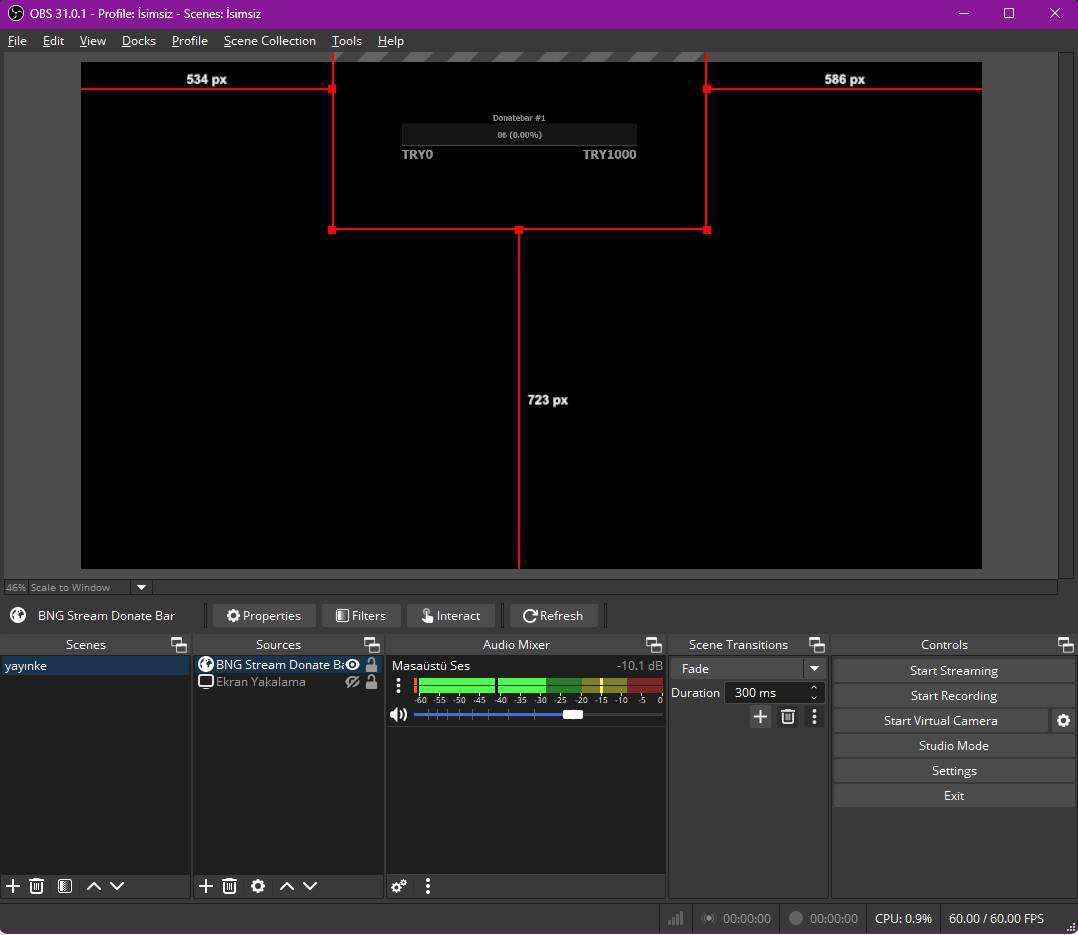
Congratulations!
You can start using your Donate Bar immediately by designing it as you dream from here. 🥳
 We wish you a great stream!
Did this answer help you?
0 out of 0 people found this helpful