

How can I use the logo as a GIF?
Created: 3 years ago
First, go to our logo page. You can access ByNoGame logos from here.
1- Click on ByNoGame GIF.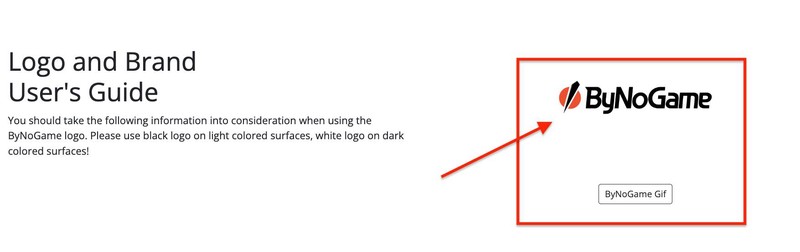
2- Click on "Save Image As" from the opened tab.
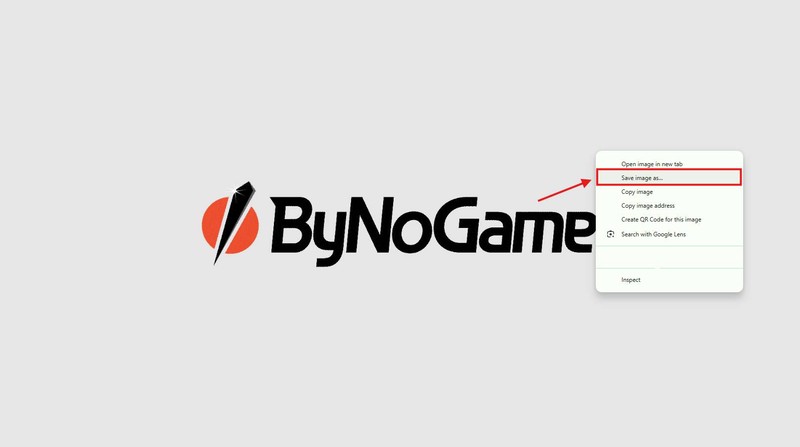
3- When saving the GIF to your device, select the "All Files" option.

4- Switch to OBS Studio, then click on "Sources - Add Source."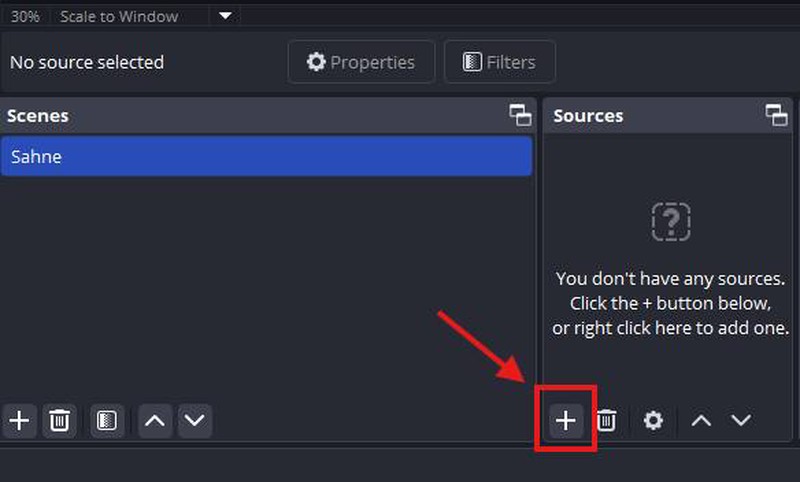
5- Select the "Media Source" option.
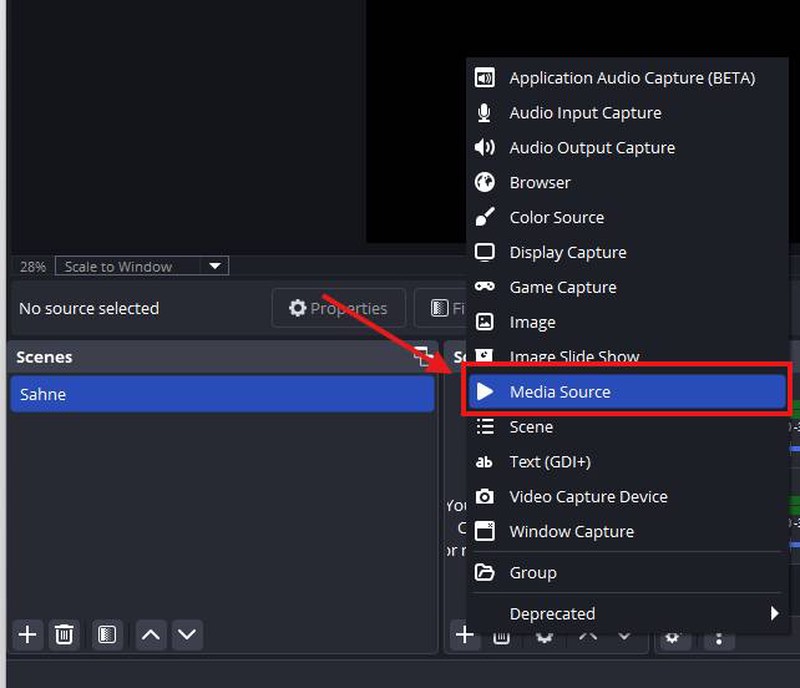
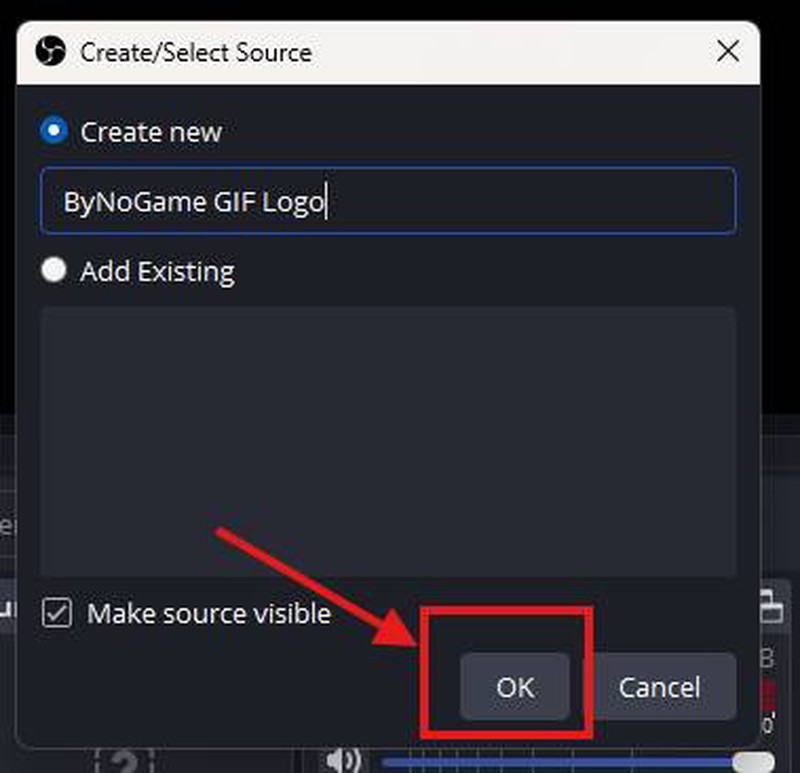
6- Add a name to your source via "Create/Select Source" and click "OK."
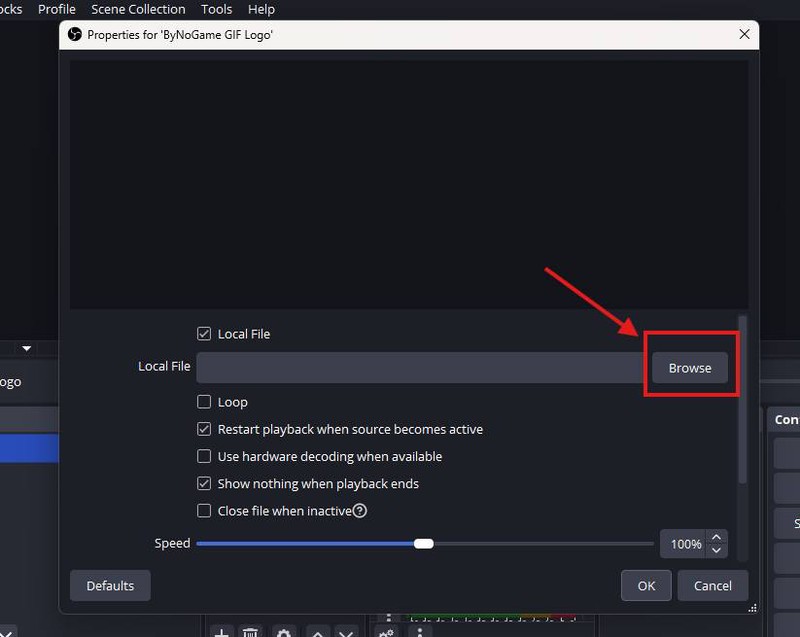
7- Click "Browse".
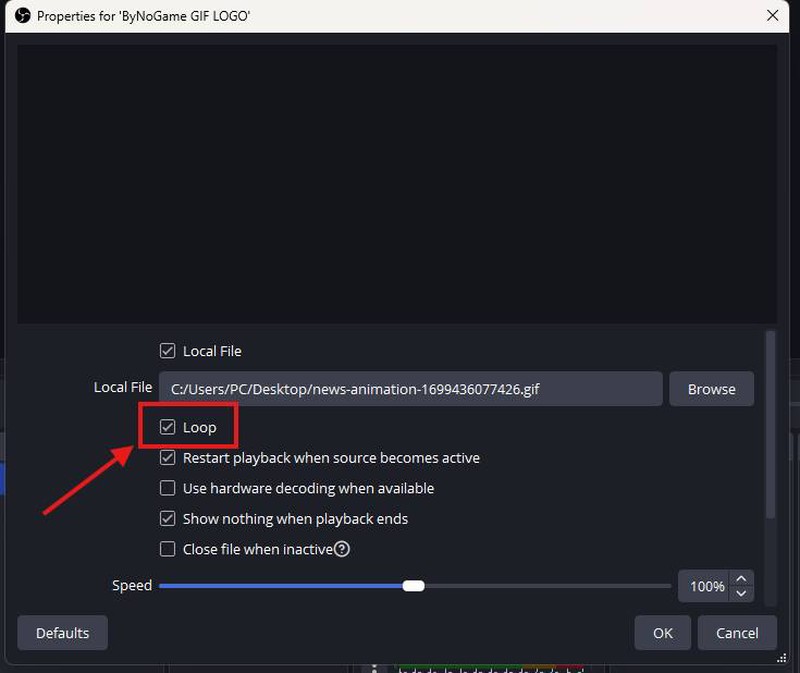
8- After selecting the ByNoGame GIF logo, don't forget to click on "Loop," otherwise the GIF will only appear once. :)
Then, click "OK."
9- After scaling your GIF logo, position it as you wish.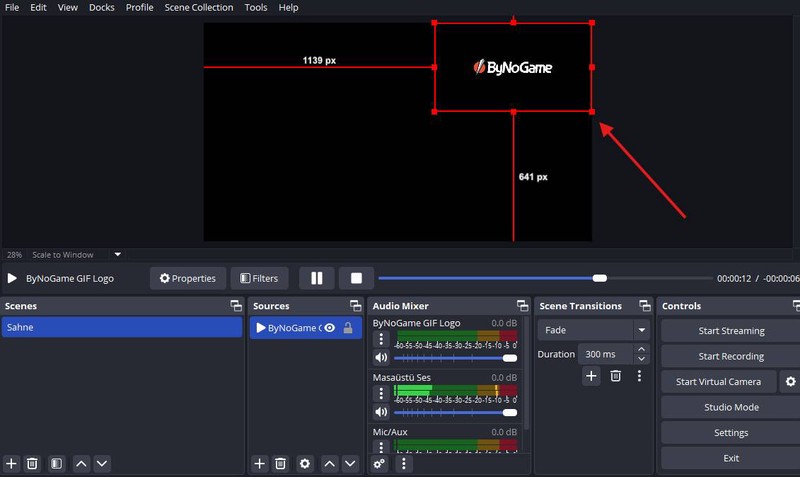
Congratulations! 🥳
Your ByNoGame GIF logo has been successfully added. ♥ ByNoGame wishes you happy streaming!
Did this answer help you?
0 out of 0 people found this helpful