

ByNoGame Buyer Protection Application: Which Images Should I Upload?
Created: 6 months ago
ByNoGame Buyer Protection is a system created to ensure users have a safe shopping experience.
It is very important to add the correct images so that your application is completed in a fast, complete, and flawless manner.
📸 Images to be Added During the Application
When applying for Buyer Protection,
-
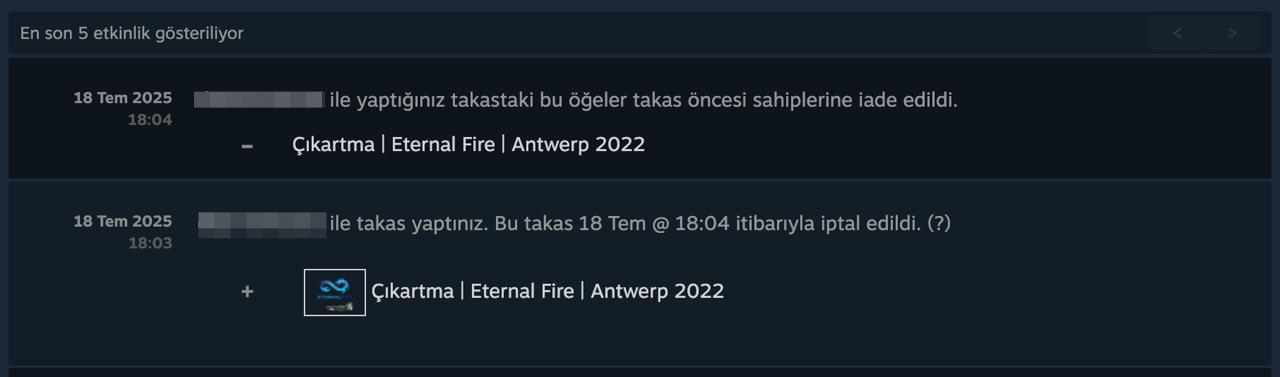
Steam Trade History (Trade History) screen of the relevant skin’s section showing the status “returned to previous owners before trade” must be uploaded as a screenshot.
This image proves that the seller canceled the trade and helps speed up the evaluation of your application.
💡 Additional Tip
- Make sure the screenshot is taken in full screen.
- Skin name and trade status should be clearly visible.
- Upload your screenshot without blurring; otherwise, the processing time may increase.
Your transactions are always under ByNoGame protection!
Did this answer help you?
0 out of 0 people found this helpful