

How to load a gift card/code?
Created: 3 years ago
Click here to directly add your ByNoGame Gift Card code to your Wallet.
To redeem a coupon code, navigate to the 'My Account' section and enter the code in the 'Add Coupon' section under "Coupons".
If you want to use it in your Cart,
-
Add the items you plan to purchase to your Cart.
-
Go to your Cart.
-
Click on the "Reedem Coupon Code" button located under the "Deposit to ByNoGame Wallet" section on the right side of the Cart.
-
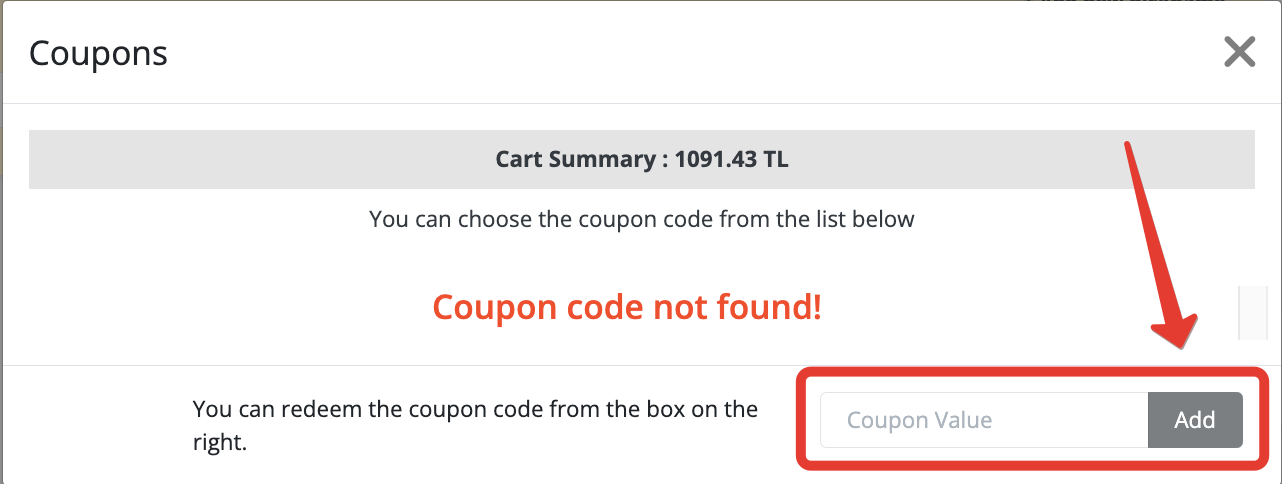
Enter the COUPON CODE you were given correctly in the Coupon Code field and click on the "Add" button.
-
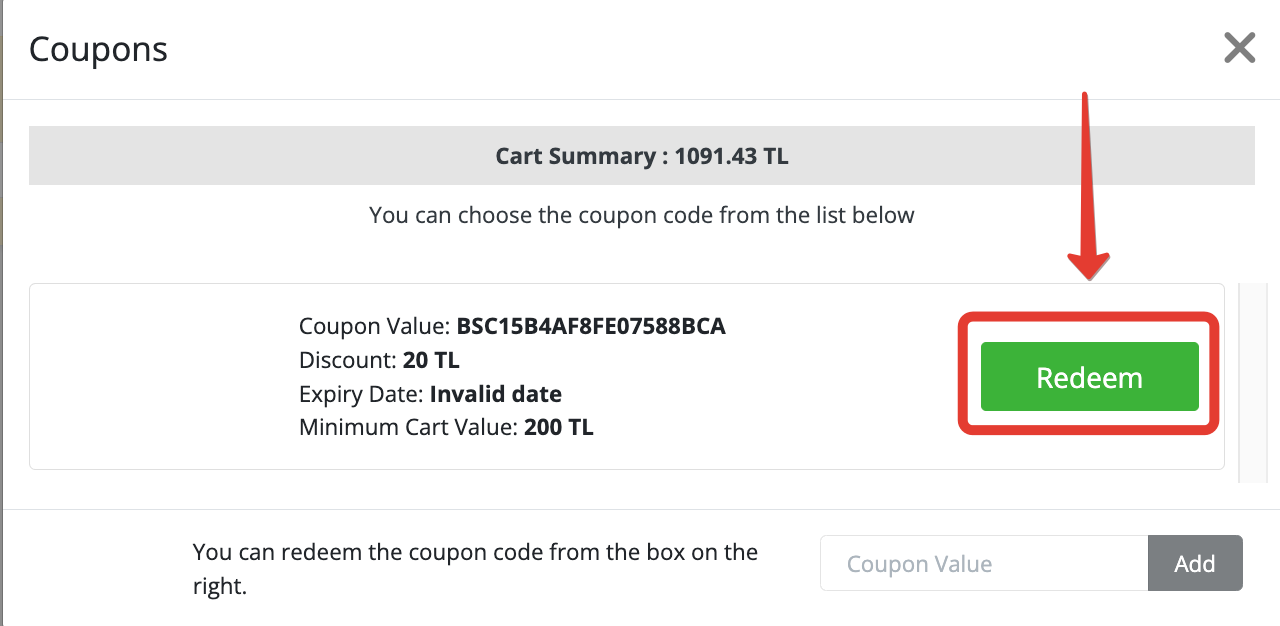
The coupon codes assigned to your account will be visible here, click on code to use them, and then click "Redeem".
If you have any questions, you can consult our 24/7 live support team. ❤️ We wish you pleasant shopping!
Did this answer help you?
0 out of 0 people found this helpful