

How can I make a payment via PayTR?
Created: 3 years ago
PayTR is a payment channel, and your payment is managed by the PayTR operator.
- You can make your payment by clicking on the options such as Credit Card, Ininal, Pokus, Tosla, Salary, Bank Card, and selecting PayTR Visa.
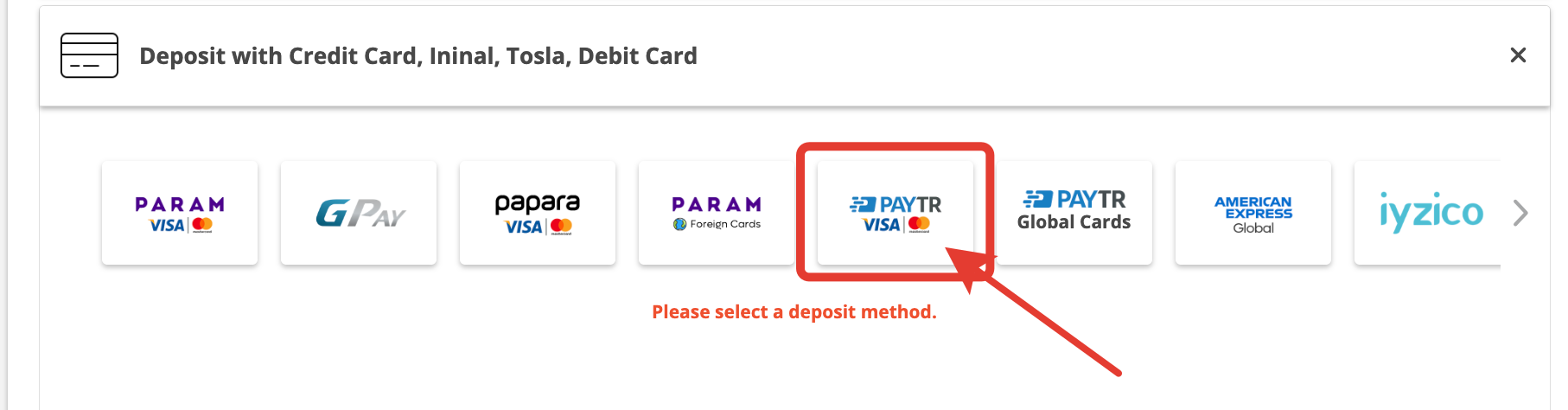
2. Enter the amount of balance you want to load and click on the "Checkout" option.
3. Enter your card details. If you wish to make installment payments, you can select the "Installment Payment" option from above and proceed.
-After entering your card details, click on the "Remember My Card for Easy Payment" option, then click on the "Checkout" button.
-On the next screen, securely complete your payment using the 3D verification code sent by your bank.
After your payment is reviewed and approved by the Pay TR operator, it will be transferred to your ByNoGame Wallet (may take 15-20 minutes).
4. In your subsequent transactions, you can view your registered cards during the payment process, allowing you to complete your payment directly using your saved card details without entering them again.
 We wish you pleasant shopping!
Did this answer help you?
0 out of 0 people found this helpful