

Order Delivered, Buyer Not Confirming: What to Do?
Created: 2 years ago
If you have delivered your ad but the buyer has not responded for the exchange yet, and you are eagerly awaiting your earnings, you can expedite the process by following the steps below:
➡️ Click on the 'My Sales' tab, and when you click the 'Yes I Did Deliver' button, an SMS will be sent to the buyer prompting them to confirm the receipt and provide approval on the platform.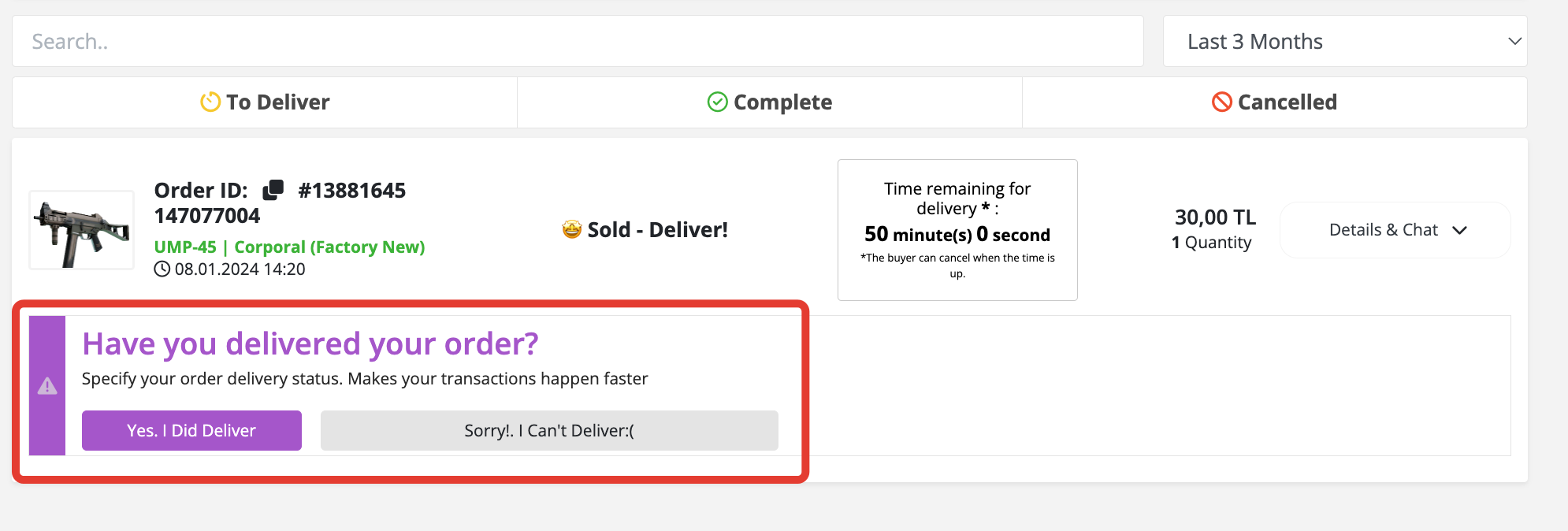
➡️ If you have clicked on the 'Yes I Did Deliver' button, but the buyer has not accepted the trade offer, you can send a reminder by clicking on the 'Remind Buyer to Confirm' button.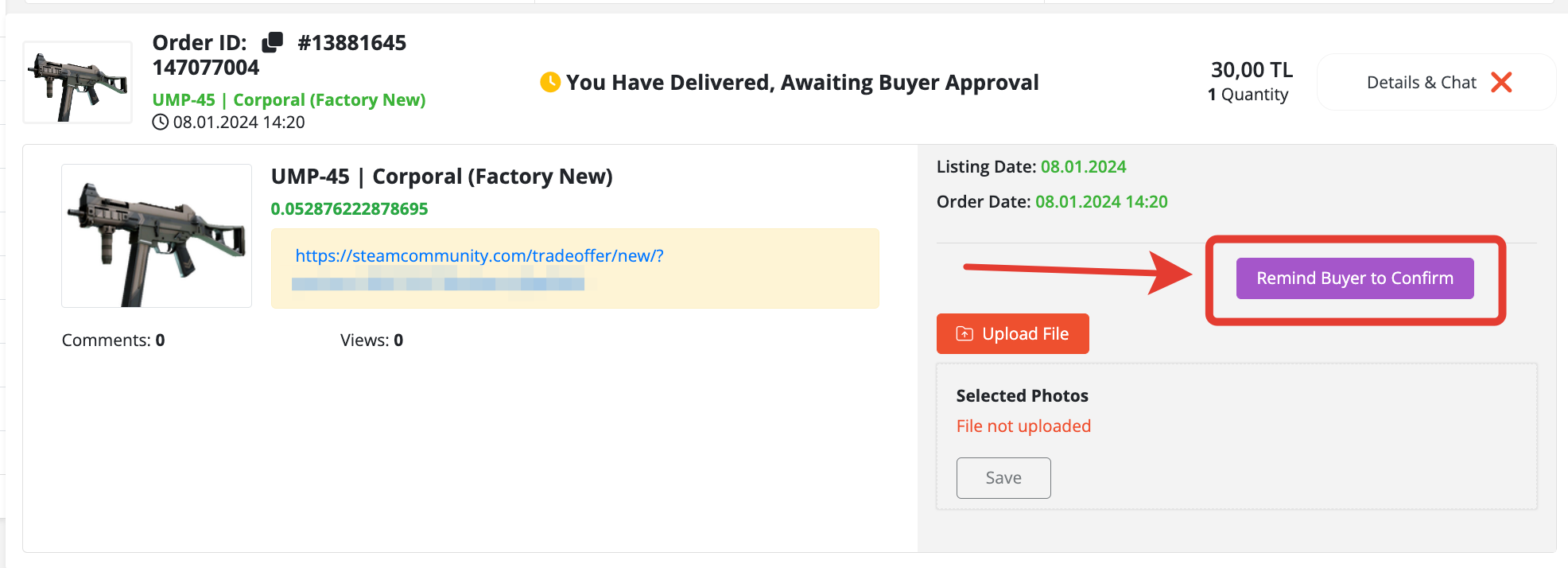
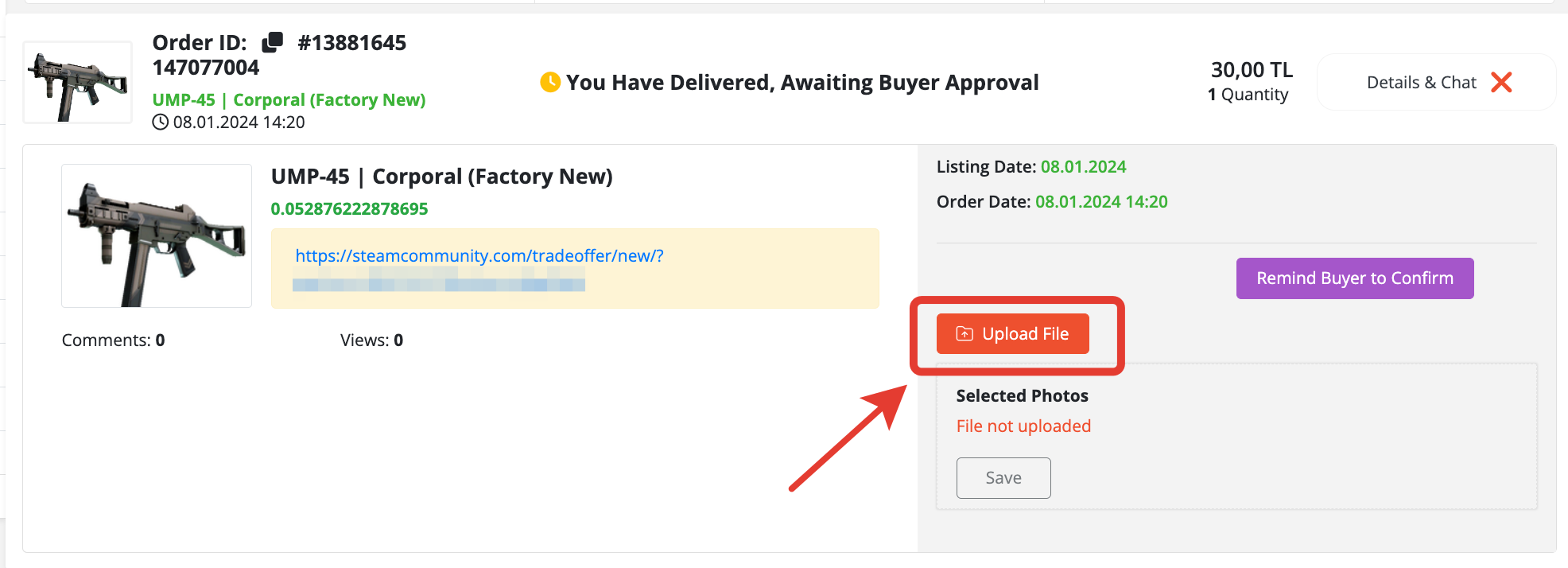
➡️If the buyer has received the item on Steam but has not confirmed it on the website:
You can upload a screenshot from the 'Upload File' section, showing the green bar with the text "Accepted" indicating that the buyer has received the item.
Our relevant department will review and process the transaction, transferring your balance accordingly.
 We wish you pleasant shopping!
Did this answer help you?
0 out of 0 people found this helpful