

How do I find my ZEPETO ID?
Created: last year
ZEPETO is a social platform where users can create 3D avatars and interact in virtual worlds.
When purchasing ZEPETO Coins from ByNoGame, you must enter your ID.
Finding your ZEPETO ID is very simple! Here are the steps:
1) Log in to your ZEPETO account.
2) Click on the "Profile" icon located at the bottom right.
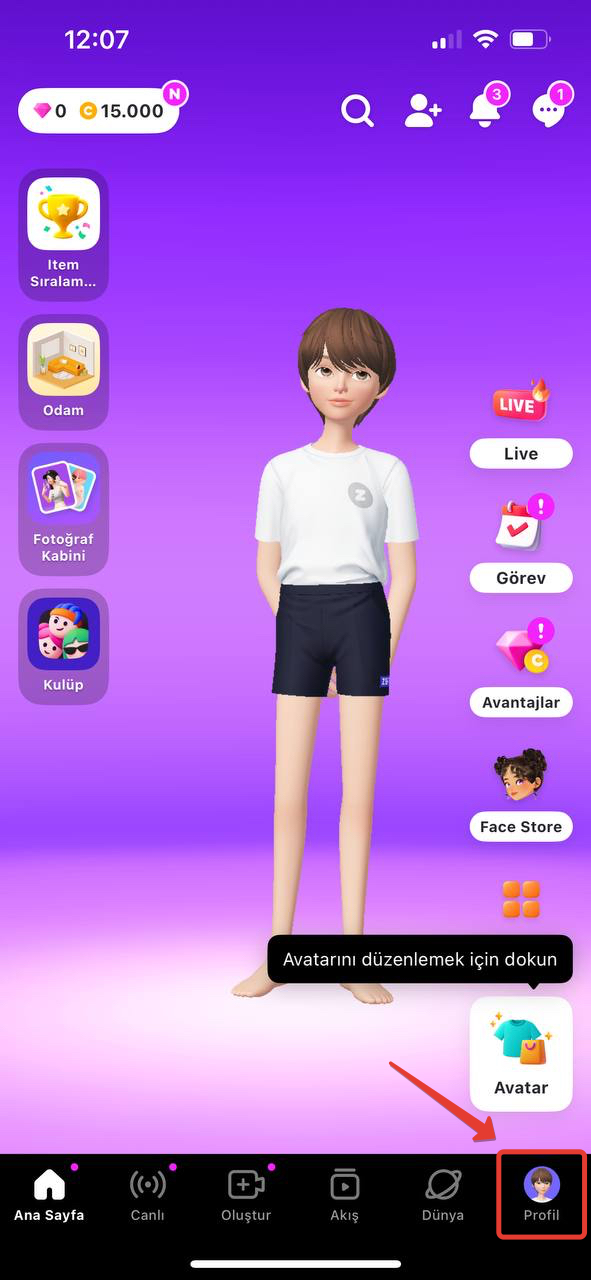
3) The code displayed under your username on the opened page is your ZEPETO ID.
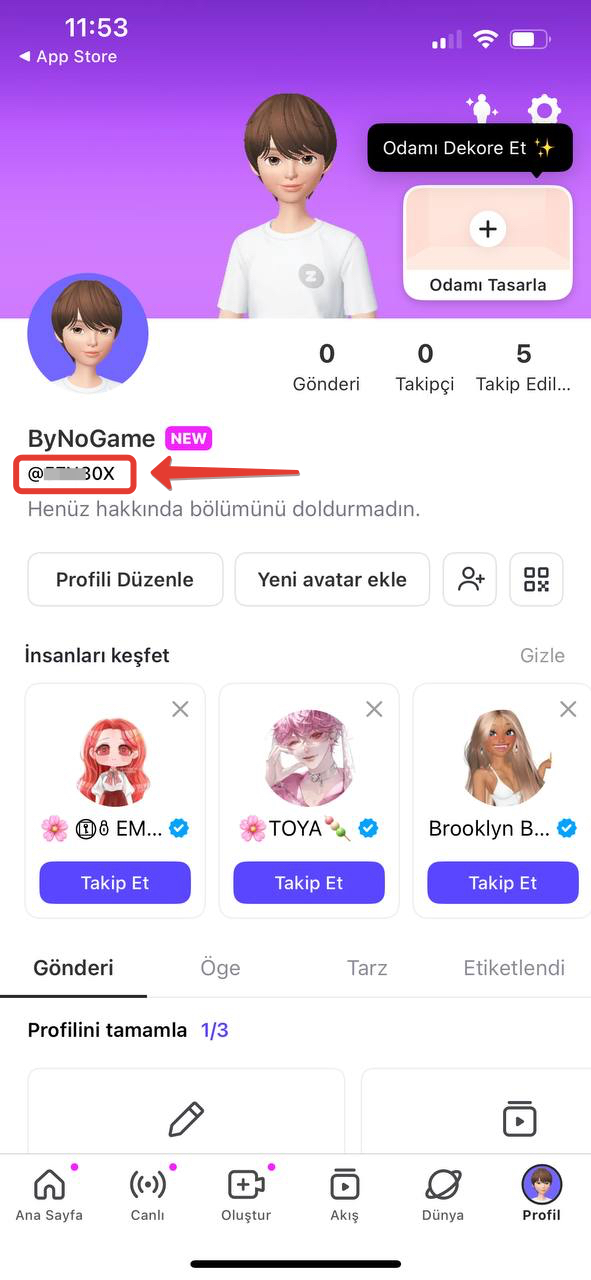
Congratulations! You are now ready to place your order. 🥳 We wish you a pleasant shopping!
Did this answer help you?
0 out of 0 people found this helpful