

How can I find Mobile Legends ID ?
Created: 3 years ago
When you purchase diamonds through ByNoGame, we directly send them to your Mobile Legends account. Therefore, it is essential to provide your ID number when placing your order. 💎
➡️ The Mobile Legends ID number is the player's in-game identity.
So, how can you find this ID? 🤷♀️
-
First, log in to your Mobile Legends account.
-
Click on the player avatar (profile picture) located in the top left corner of the game screen.
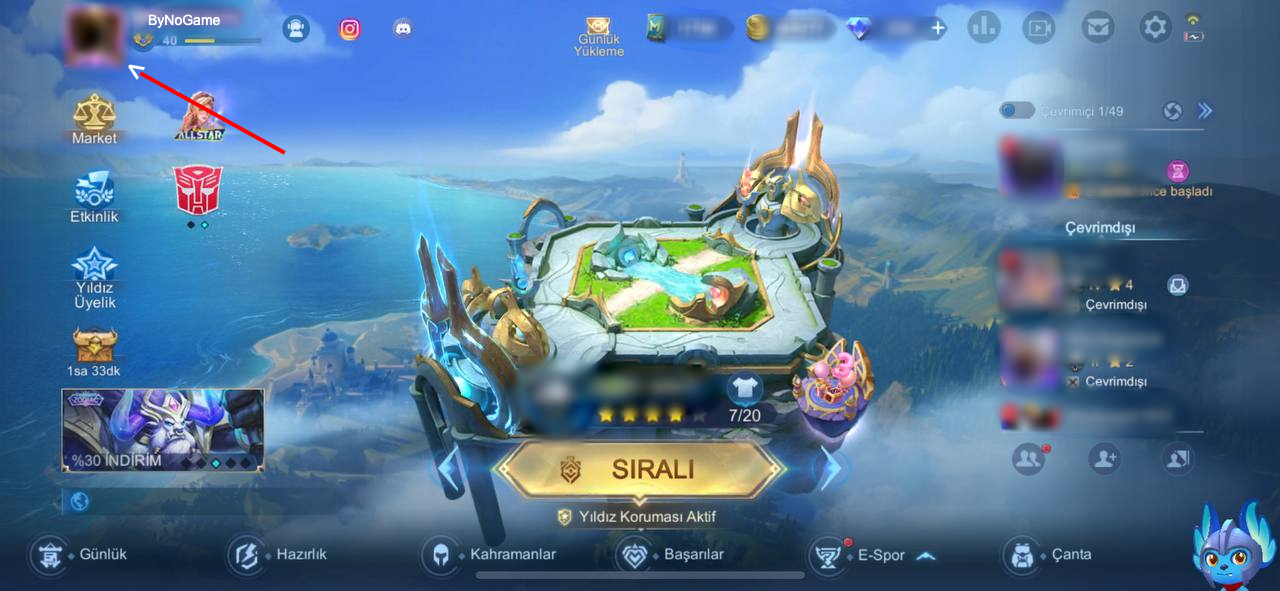
-
On the page that appears, the number below your nickname is your ID.
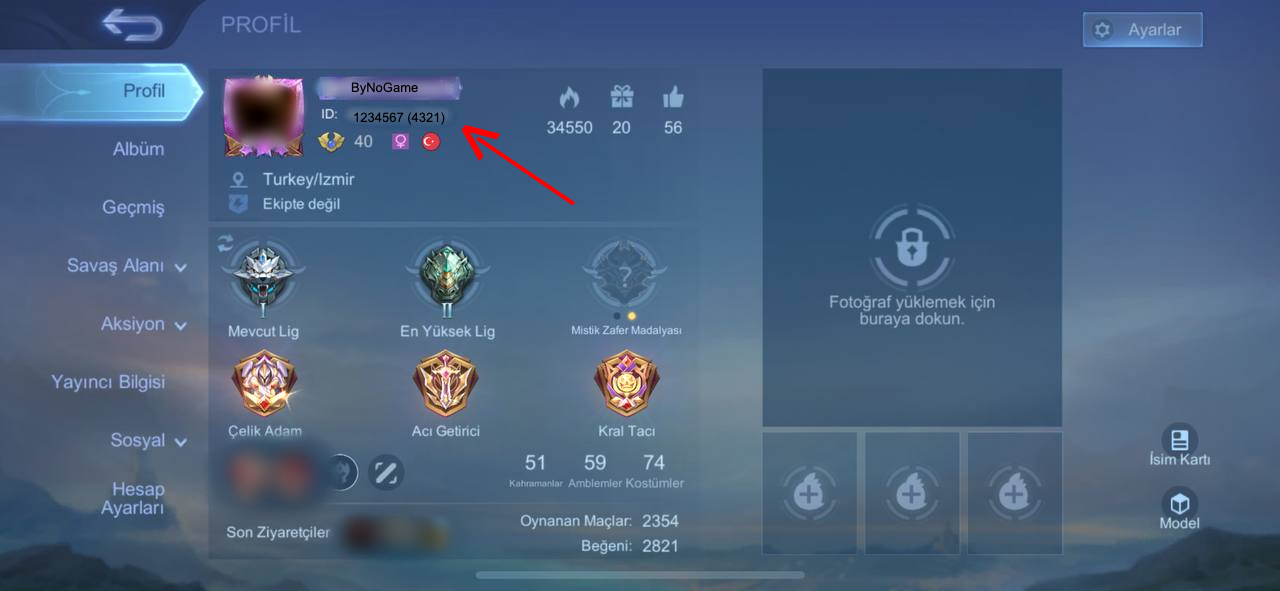
The 4-digit number in parentheses represents your Server number.
Congratulations! You have successfully found your ID. 😌
Now, click once on your ID to copy it. Click here to purchase diamonds using your copied ID. 💎
‼️Please note that Mobile Legends Diamonds can only be loaded onto TURK servers.
Did this answer help you?
1 out of 1 people found this helpful