

My ad was published, how do I see it on the site?
Created: 6 months ago
We use a catalog system on our site; only product categories are listed on the ad page.
When you click on the item name, you can access the full list of ads currently live.
1- Search for your product using the filters on the left side of the page,
2- Select the appropriate option from the search results,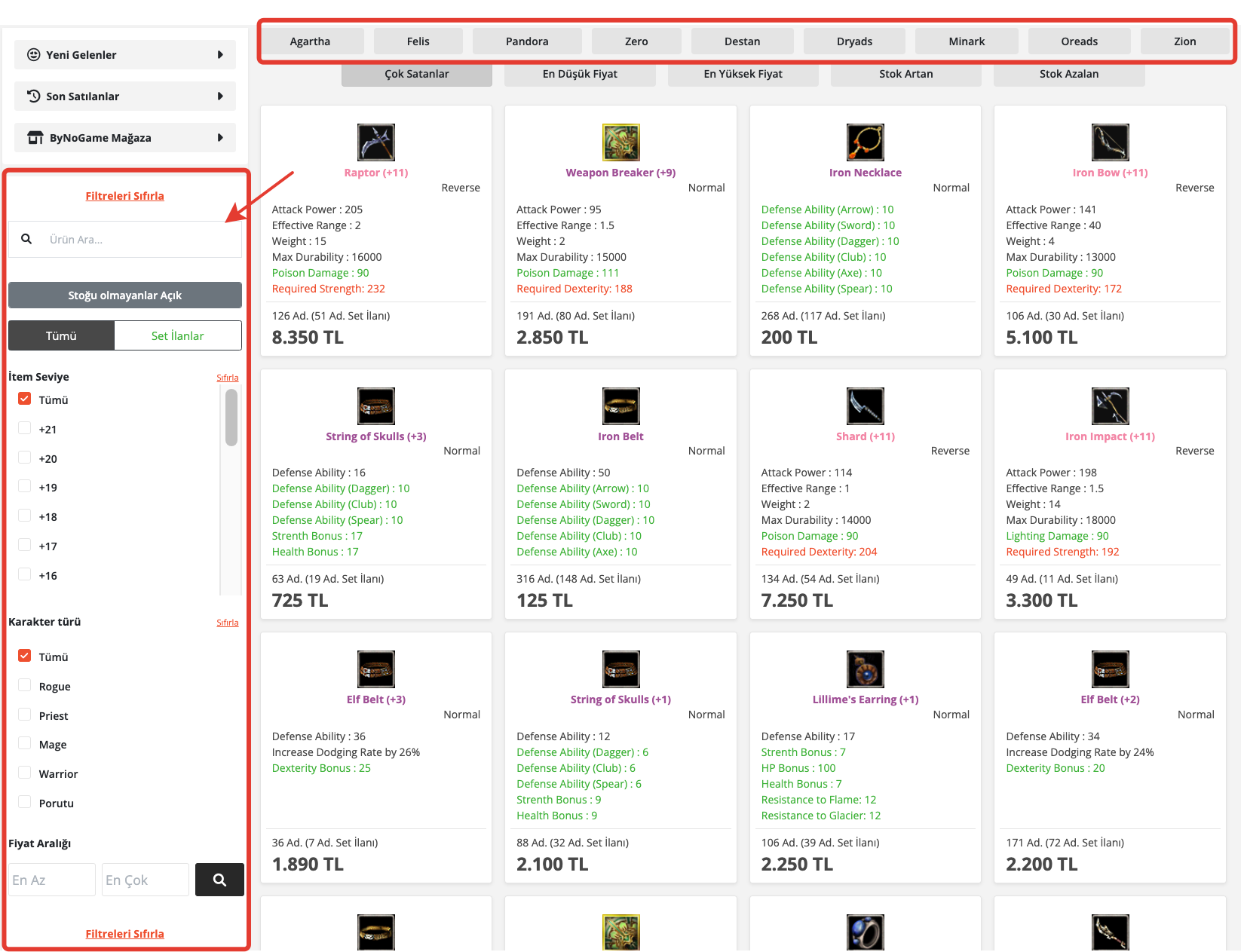
3- In the window that opens, you can see all ads for the product and find your own product.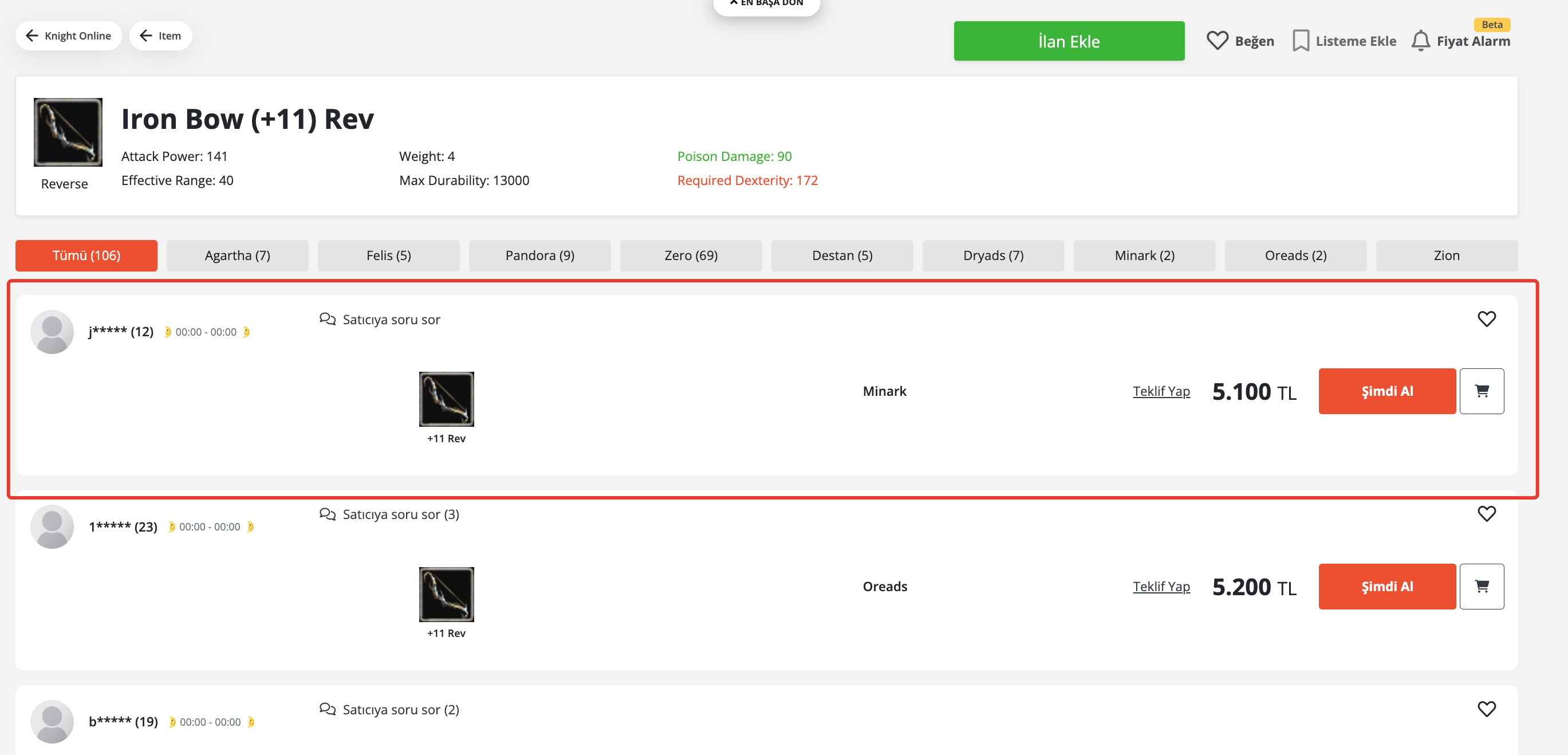
4- Click on your ad to see the details.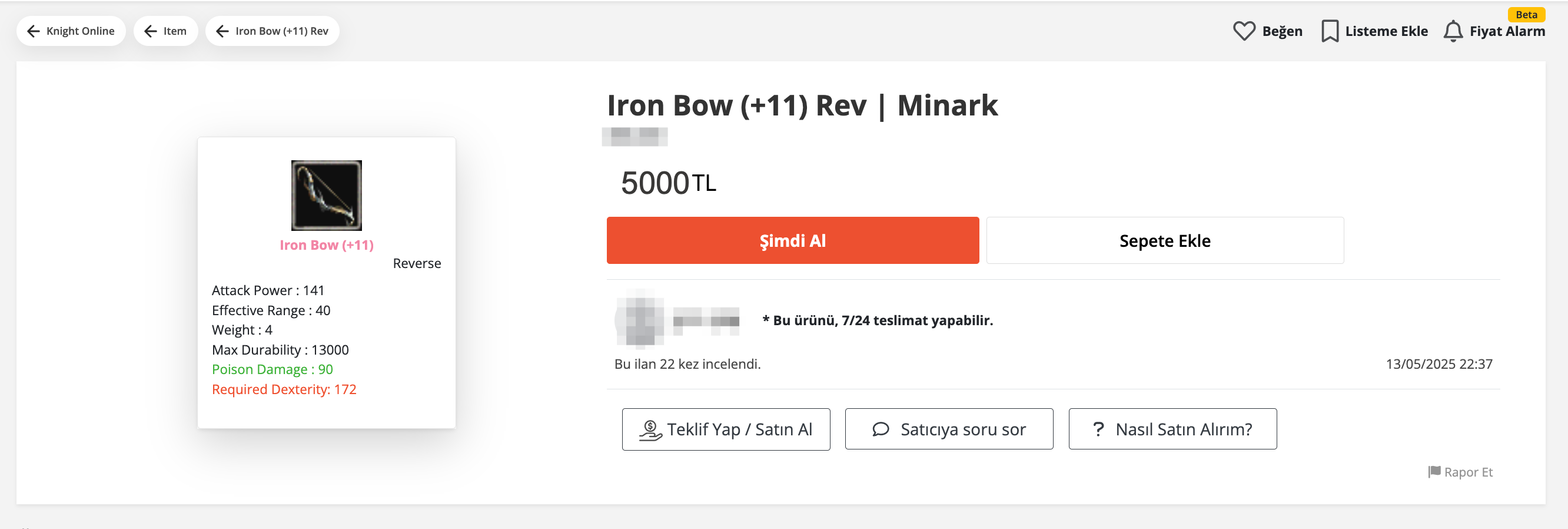
Did this answer help you?
0 out of 0 people found this helpful