

Knight Online Item Unseal (make tradable)
Created: 6 months ago
You can follow the steps below to make seal items tradable in Knight Online.
-
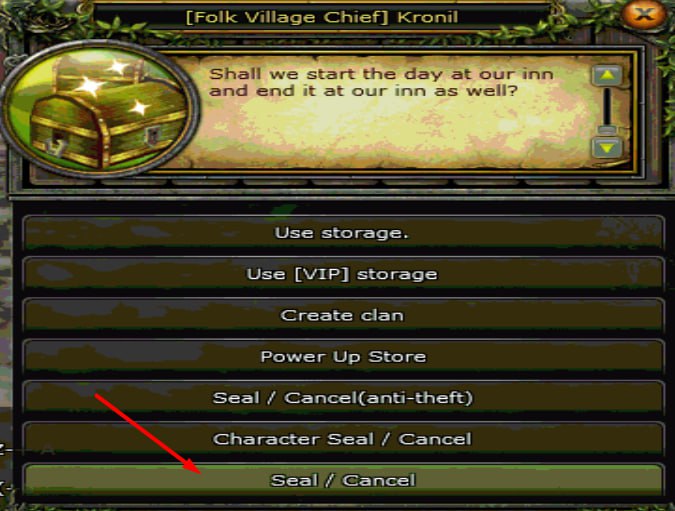
Right-click on the Inn Hostess.
-
From the opened menu, select the Seal / Cancel option.
-
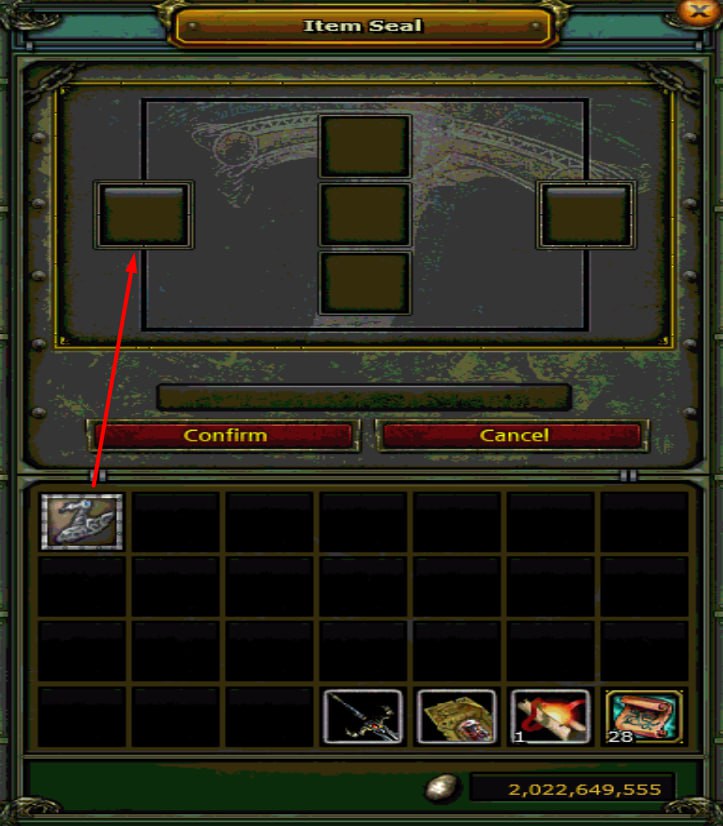
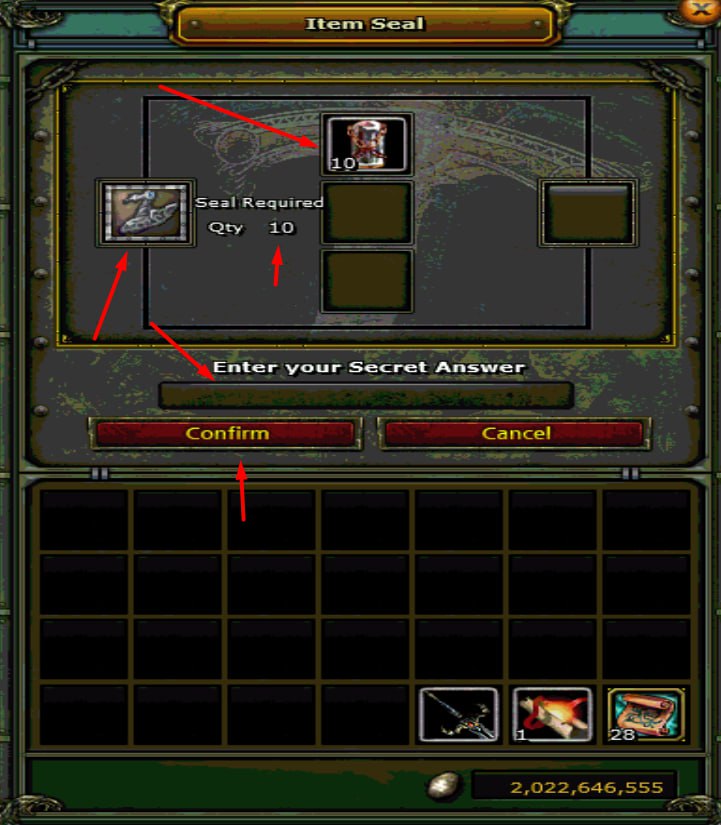
Place the item you want to unseal into the designated area.
-
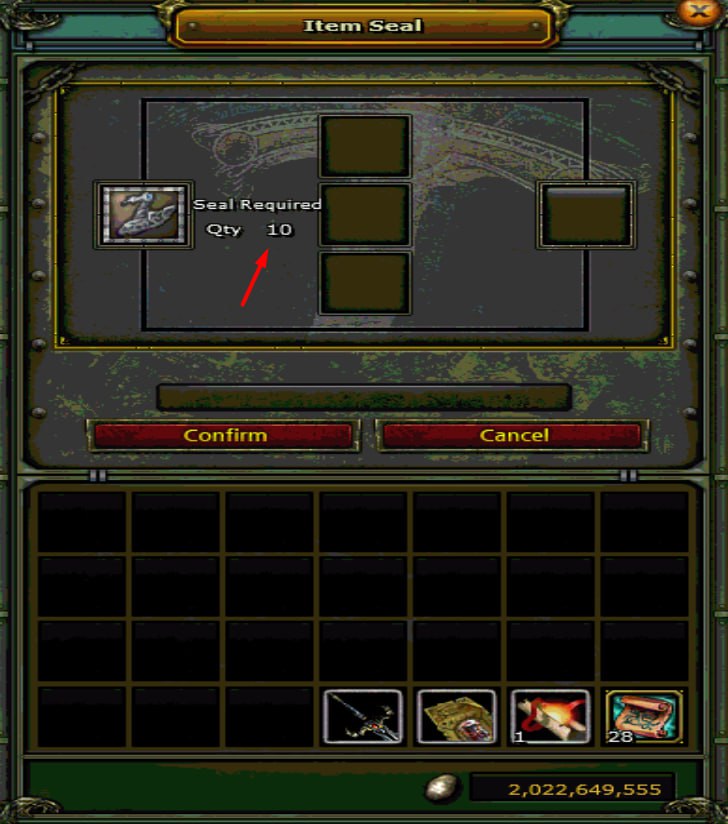
The number of Seal items required to complete the process will be displayed.
-
Open the Power Up Store.
-
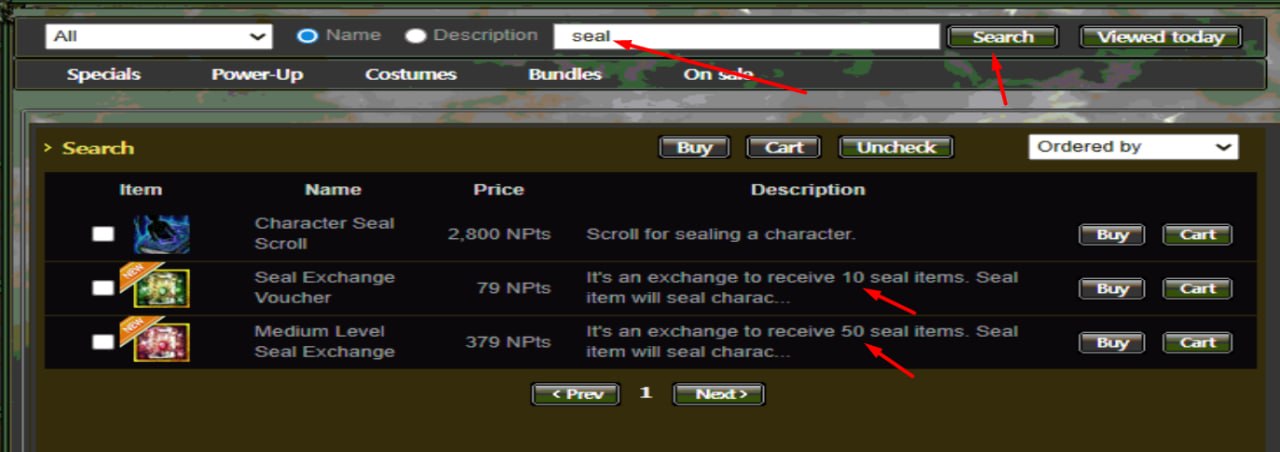
Type Seal in the search section.
-
There are 2 products available for purchase:
-
Seal Exchange Voucher → Gives 10 Seals
-
Medium Level Seal Exchange → Gives 50 Seals
-
-
Purchase as many as you need and then go to the NPC to break the Seals as indicated on the product.
-
Go back to the Inn Hostess.
-
Put the item and the Seals into the Seal / Cancel menu.
-
Enter the item lock password and press the Confirm button.
✅ The item is now tradable.
Did this answer help you?
0 out of 0 people found this helpful