

How do I load Knight Online Cash?
Created: 6 months ago
Dear Knights! In this article, we will help you on how to load Knight Online Cash.
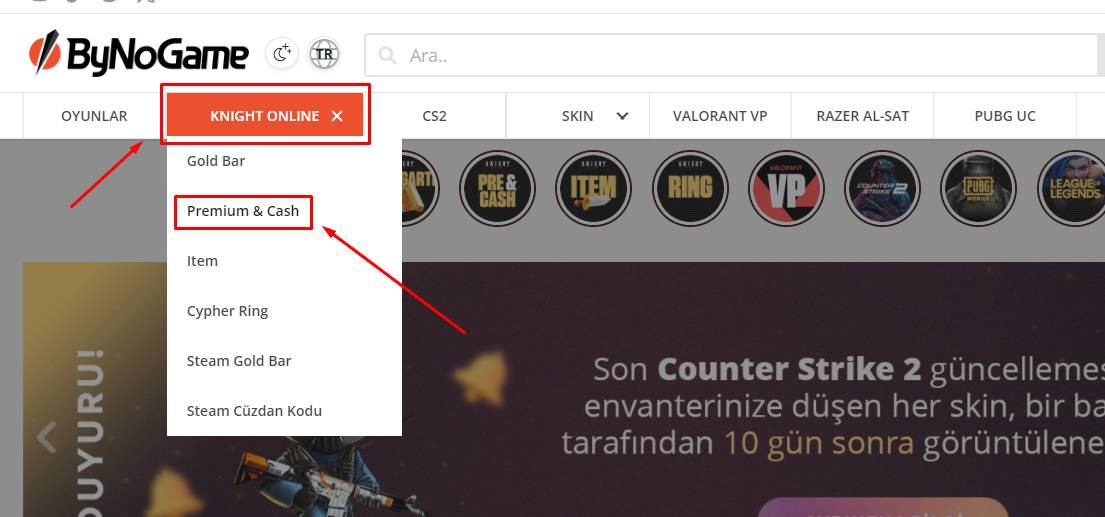
- First, log in to your ByNoGame account and click on Premium & Cash under the Knight Online section visible on the homepage.
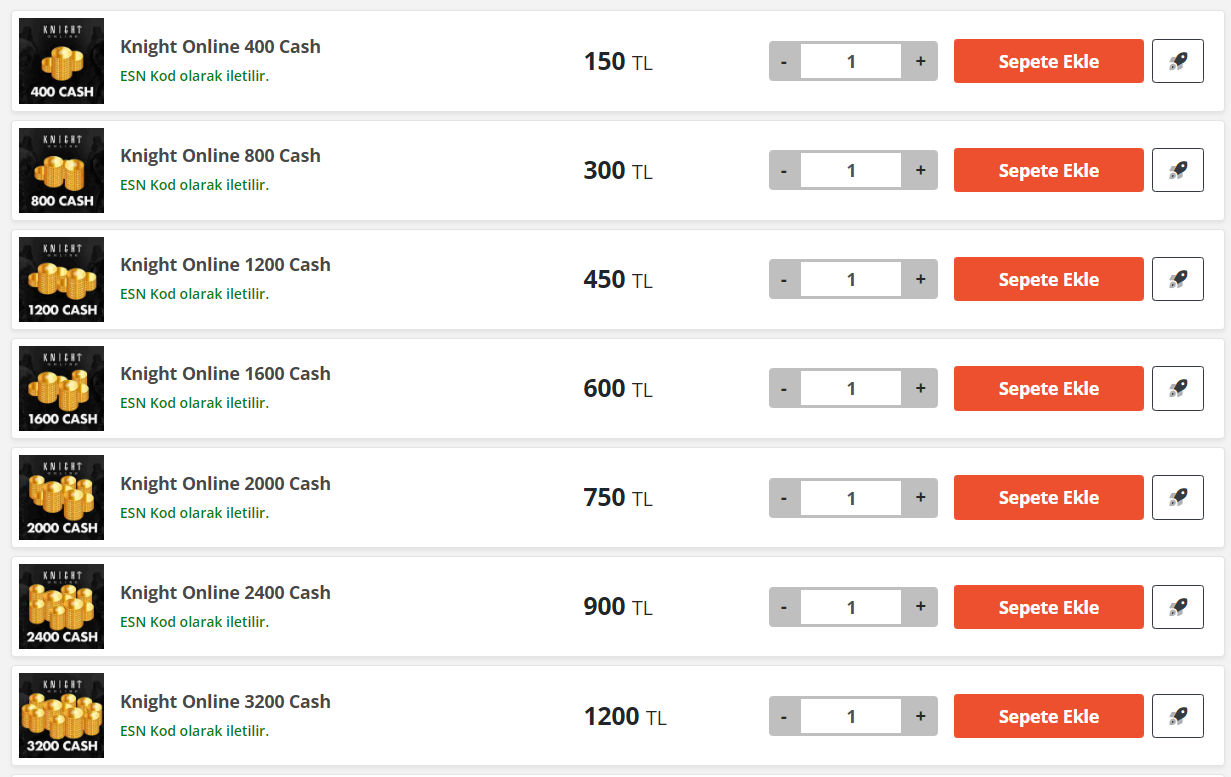
- Order the Knight Online Cash product to empower your character.
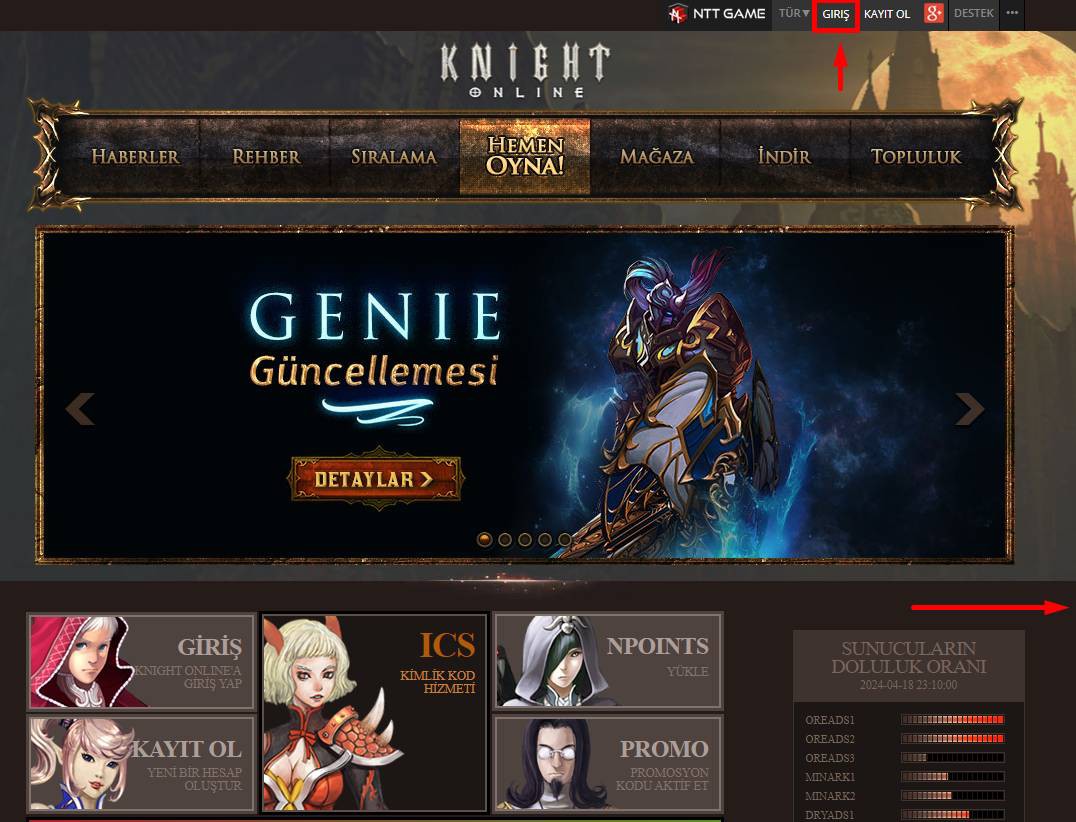
- Now go to www.nttgame.com/knight and log in to your game account.
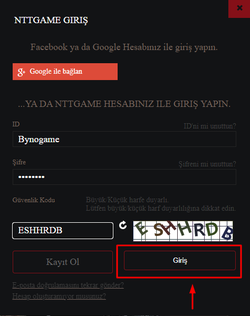
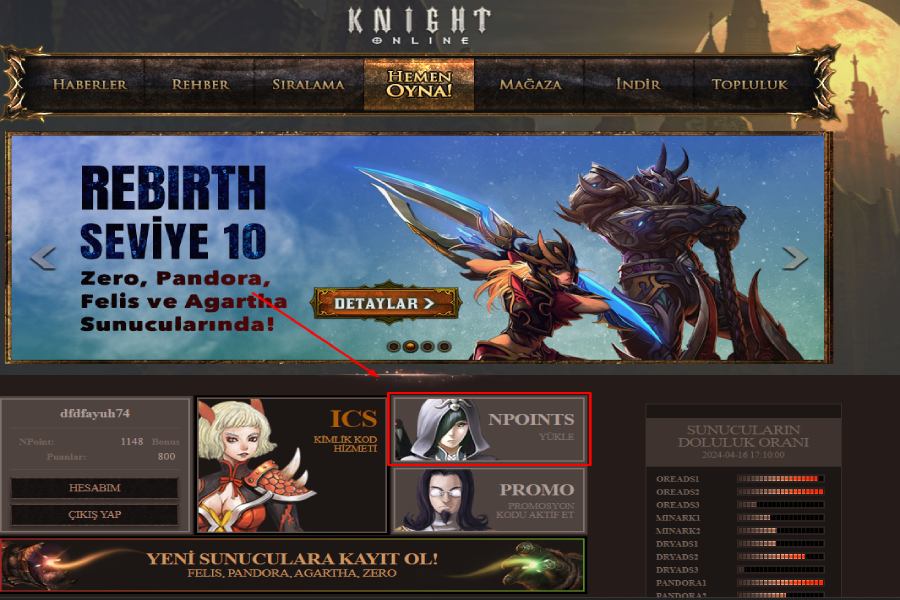
- After logging into your account, click on the LOAD NPOINTS section.
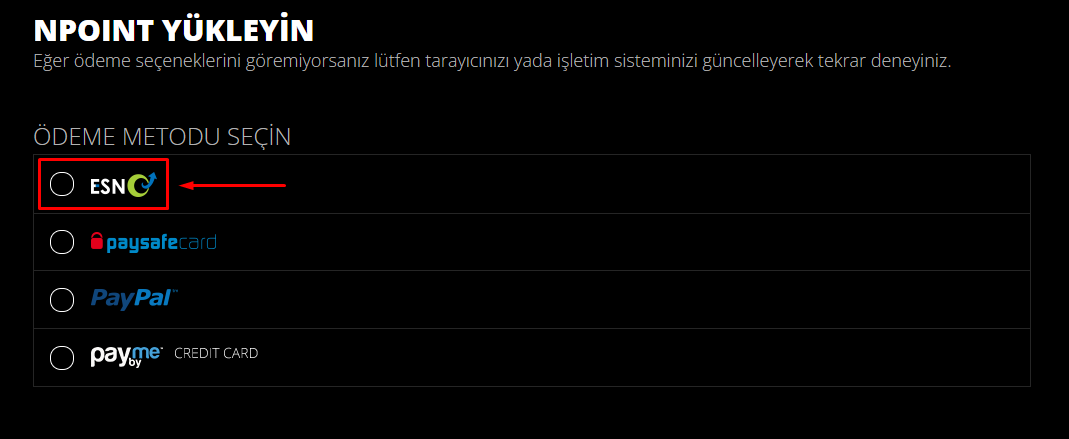
- In the window that opens, click on the ESN section.
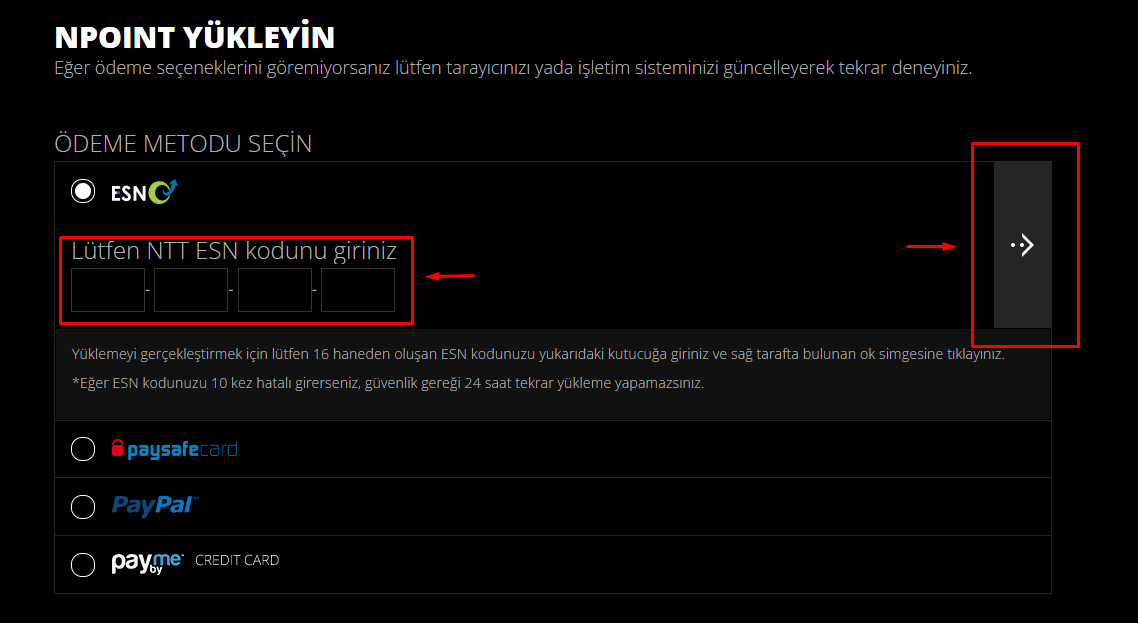
- Enter the codes given to you in the ByNoGame Orders section and click on the arrow icon on the right.
Knight Online Cash has been loaded to your account!
Did this answer help you?
0 out of 0 people found this helpful