

I will sell GB, how do I update my nickname?
Created: 10 months ago
Nickname Update Process
Before selling GB in Knight Online, you need to correctly enter the character name you will use for the delivery.
-
Click the “+Add new nickname” button in your cart.
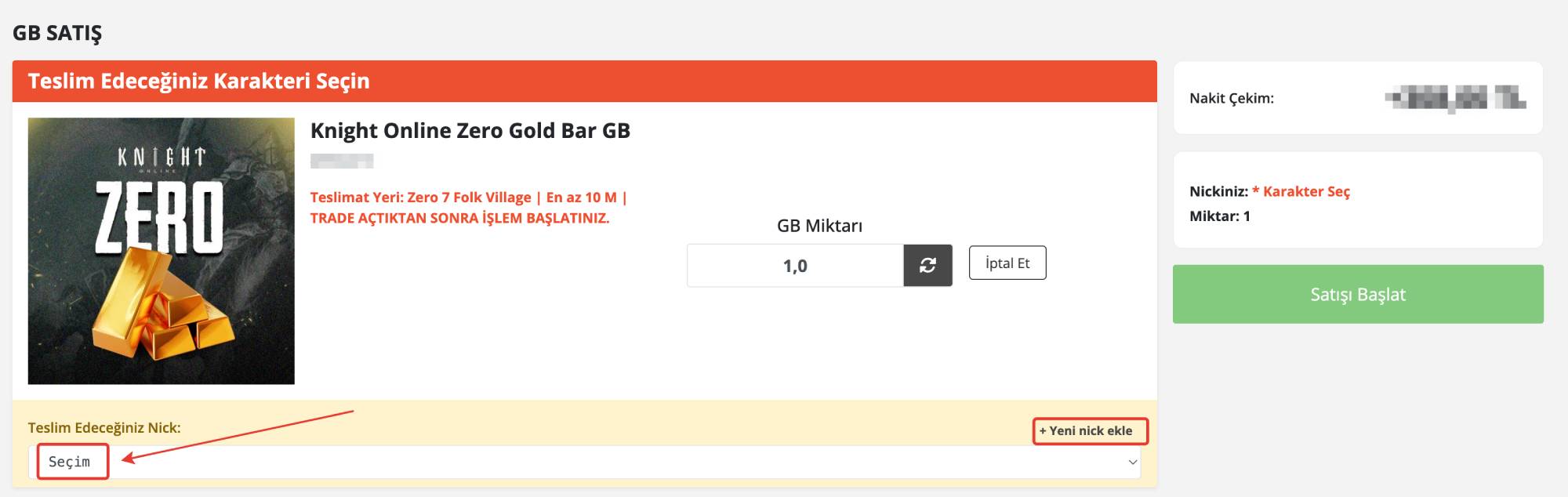
-
Type your character's nickname in the opened field.
-
Complete the process by pressing the “Save and Select” button located immediately to the right.
⚠️ Important Warnings
-
Your nickname must be exactly the same as in the game.
-
Especially be careful not to confuse the letters “l” (lowercase L) and “I” (uppercase i).
- How do I correctly copy my nickname?
Did this answer help you?
0 out of 0 people found this helpful