

How to Sell Knight Online GB?
Created: 10 months ago
In games, the GB (Gold Bar) you accumulate is a valuable in-game item that can be converted into real money. Especially Knight Online players can earn income by selling the GBs they own. ByNoGame offers you a special system to make this sale safely and easily.
Step by Step GB Sale
-
Go to the “GB Sale” section from the homepage.
Here you can select the server where you want to make the sale.

-
Enter the amount you want to sell.
GB sales are only made in multiples of 10M.-
Example:
-
10M = 0.1 GB
-
100M = 1 GB
-
1000M = 10 GB
-
-

-
Press the “Sell to Us” button.
This initiates your sale. -
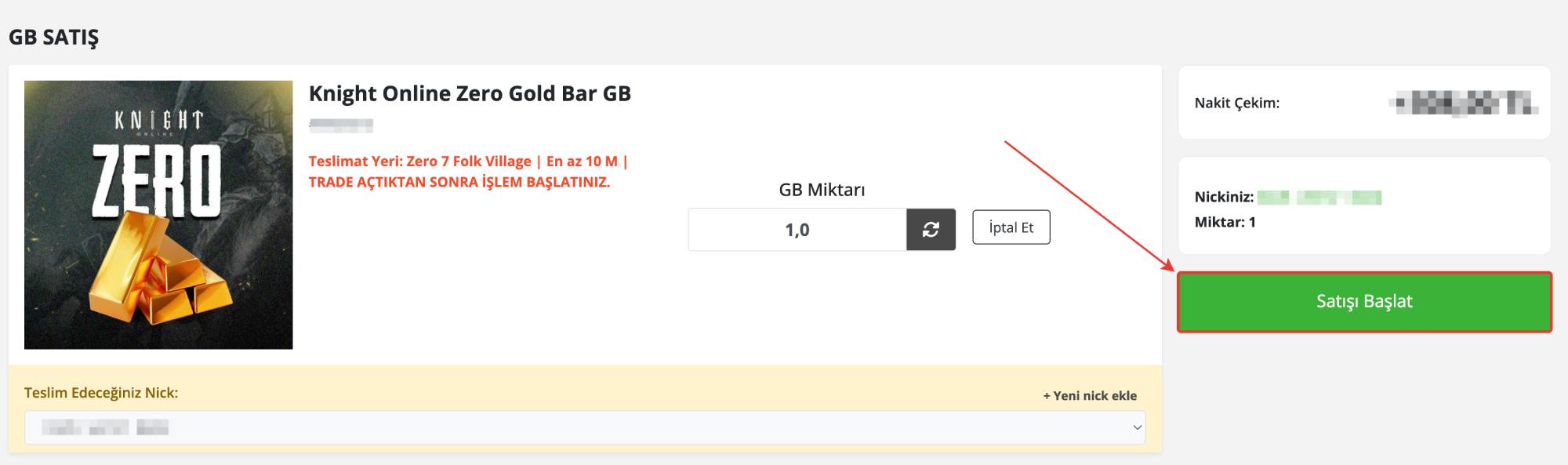
Select the character nickname you will use for delivery.
-
If you don’t have a registered nickname before, you can add a new one.
-
Make sure your nickname exactly matches the spelling in the game. (For example, the letter “l” can be confused with the letter “I”.)
-
-
Press the “Start Sale” button.
At this stage, the sales process officially begins.
-
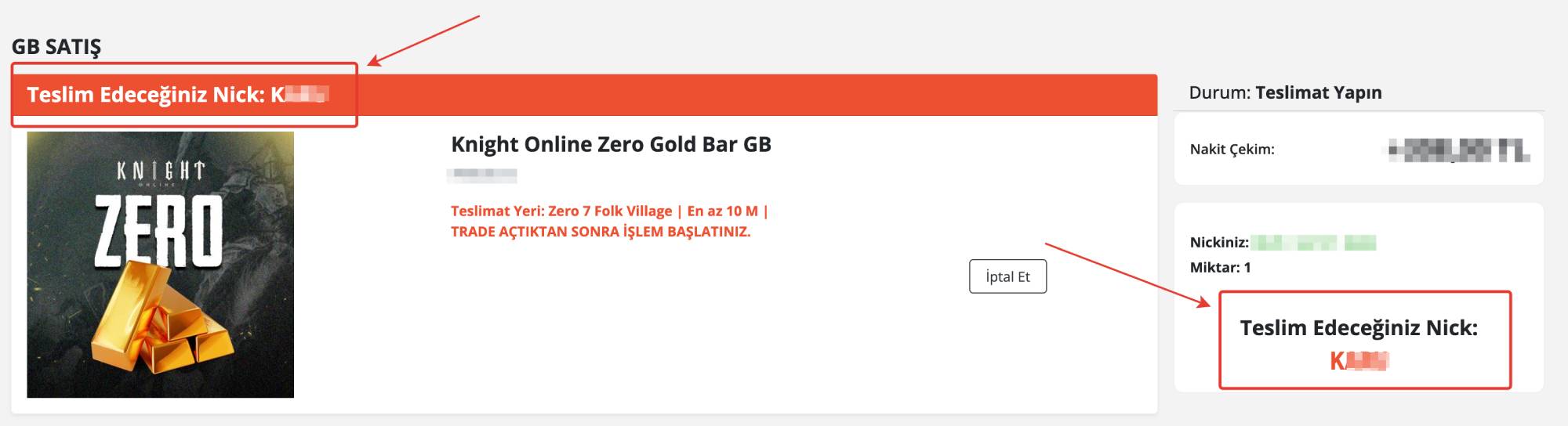
Find the character that ByNoGame gave you in the game.
-
Make sure the given nickname is correct.
-
Then deliver your GB by making a TRADE.
-
Note: Due to the game system, there is a 3% deduction for deliveries made through the market. For this reason, only the trade method is used.
Did this answer help you?
0 out of 0 people found this helpful