

-
Log in to your ByNoGame account.
-
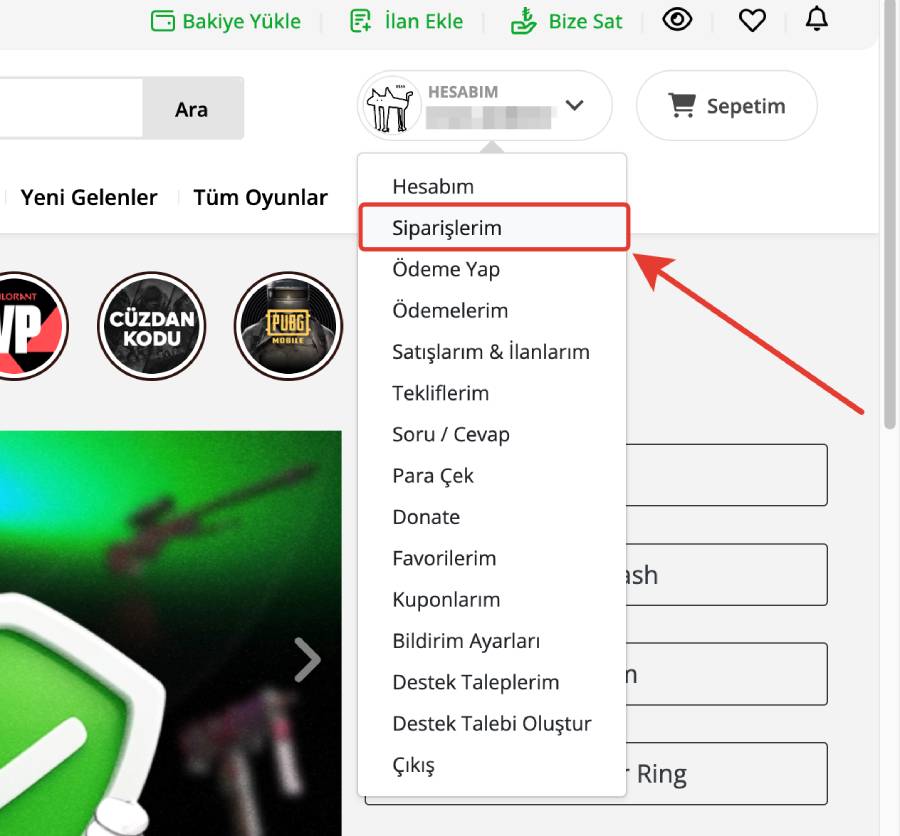
On the homepage, hover over your username and click the “My Orders” section from the dropdown menu.
-
Find the order you want to cancel in the list and press the “Cancel” option that appears below.
If you want, you can select 'Not Ready, Postpone Delivery' to receive it later.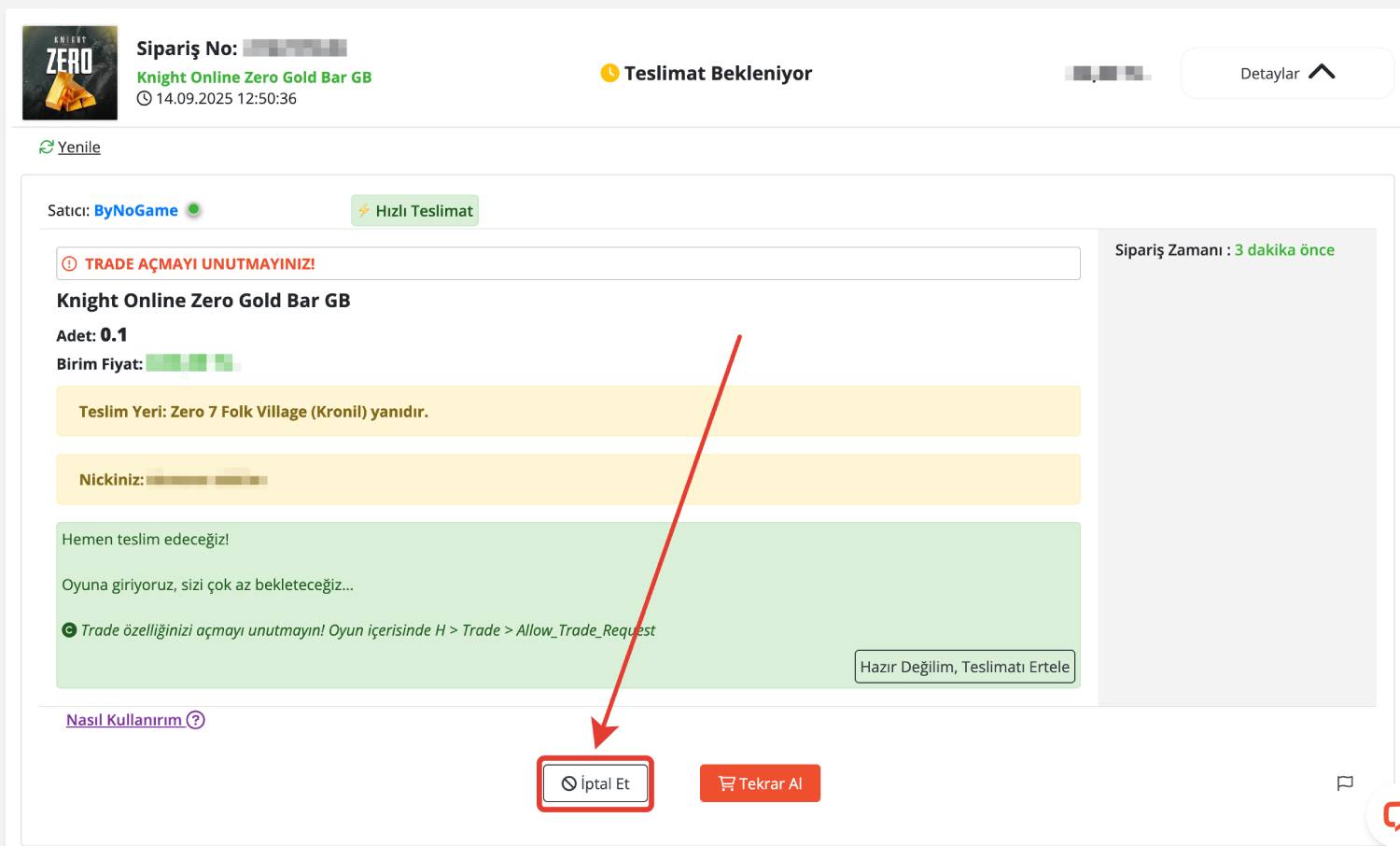
-
Wait a short time for the relevant department to check.
-
Once the cancellation is complete, your balance will be automatically credited to your wallet.
⚠️ Remember: Only orders that have not yet been delivered can be canceled.