

How to Know if Your Skin is Sold, How Will Delivery Happen?
Created: 6 months ago
You will receive notifications, emails, and messages when the listing is sold. This way, you won’t miss your sale.
To deliver the skin;
1. Through My Account > My Sales > Deliveries,
2. Click the Details button next to the related sale.
3. Be sure to read the “What Should I Pay Attention to When Delivering?” section and make sure your Steam account is secure.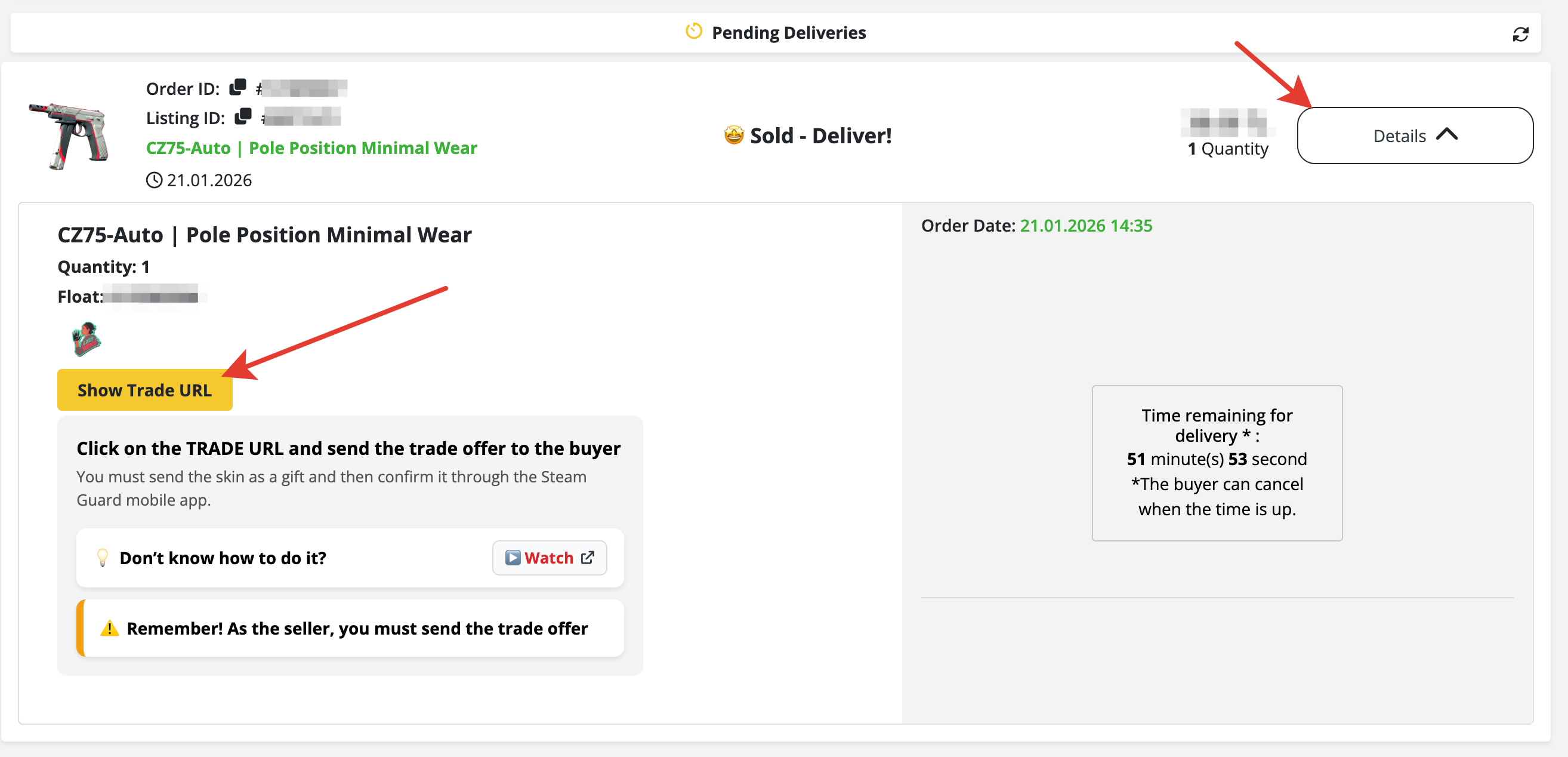
4. Then click on the buyer’s Trade URL → select the skin → check the “Confirm trade contents” option → click the “Yes, this is a gift” button → approve on Steam mobile.
5. Don’t forget to press the “Yes, I Delivered” button in the last step so the buyer can receive the confirmation information.
You can watch the video below to see how to deliver. :)
Did this answer help you?
0 out of 0 people found this helpful