

How to Add a Listing from the Skin Catalog?
Created: 10 months ago
Can't see the skin you want to sell when adding a listing?
You can add a listing by selecting your invisible skin from the ByNoGame Skin Catalog or instantly earn by selling it via BizeSat.
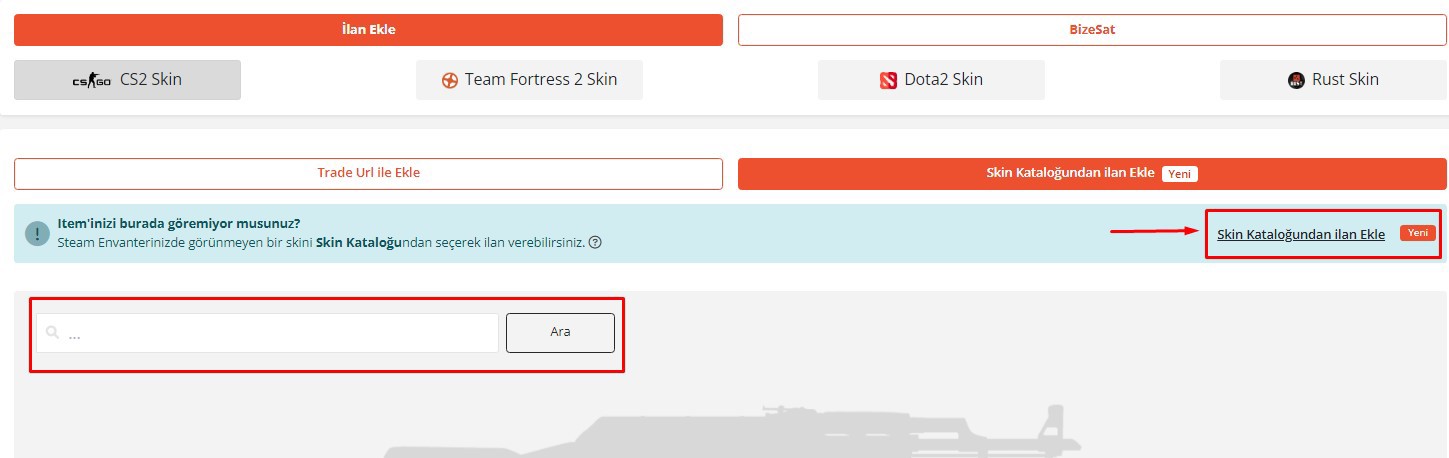
1- First, click on the Skin Catalog section. Then, type the name of the invisible skin in the relevant box shown in the image.
2- After typing the skin's name, you can see similar products and wear values below. Select the one that belongs to you.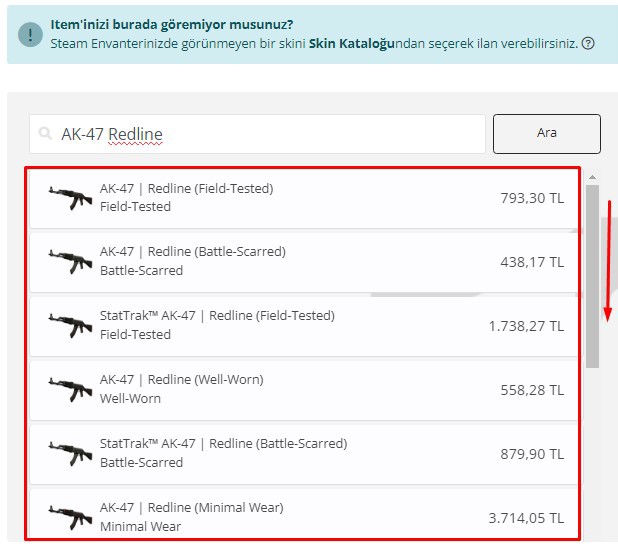
3- In the next step, after adding the product price, float value, any stickers, and optionally the in-game inspect link, click the Save button. To learn how to get the in-game inspect link, click here!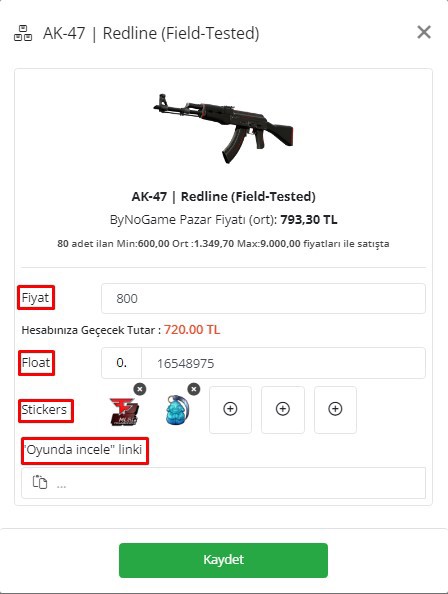
4- Finally, the added product will be visible below with the properties you entered.
Click the submit button to proceed with the steps.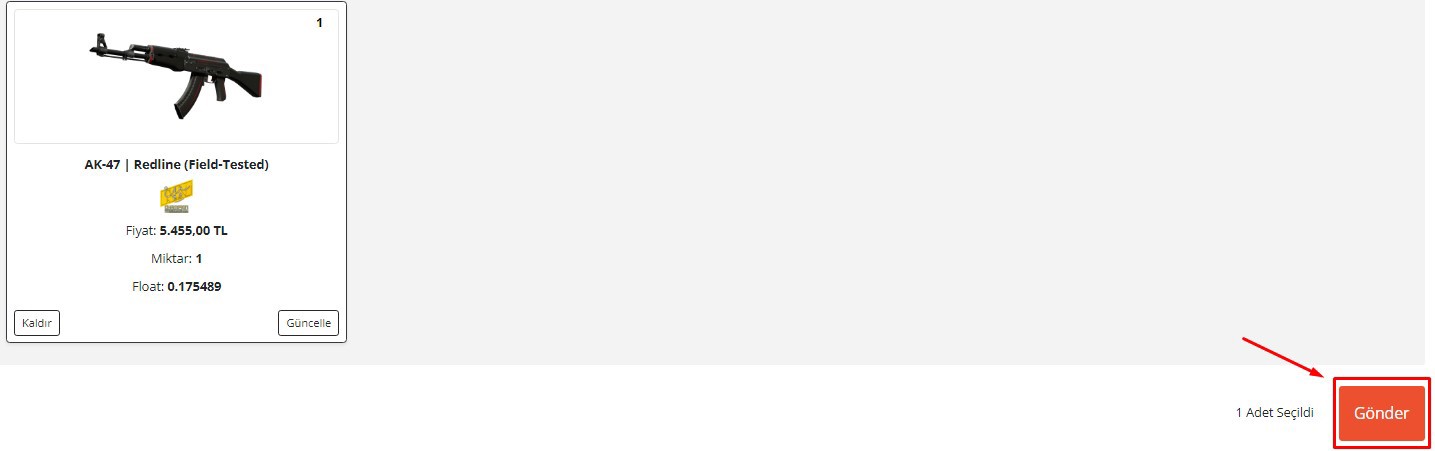
That's all 🥳
We wish you good profits.
Did this answer help you?
0 out of 0 people found this helpful