

How do I make my Steam Inventory Public?
Created: 3 years ago
For other users to send you trade offers, your inventory settings need to be public. But how?
First; hover your mouse over your username on your Steam homepage and click "Inventory".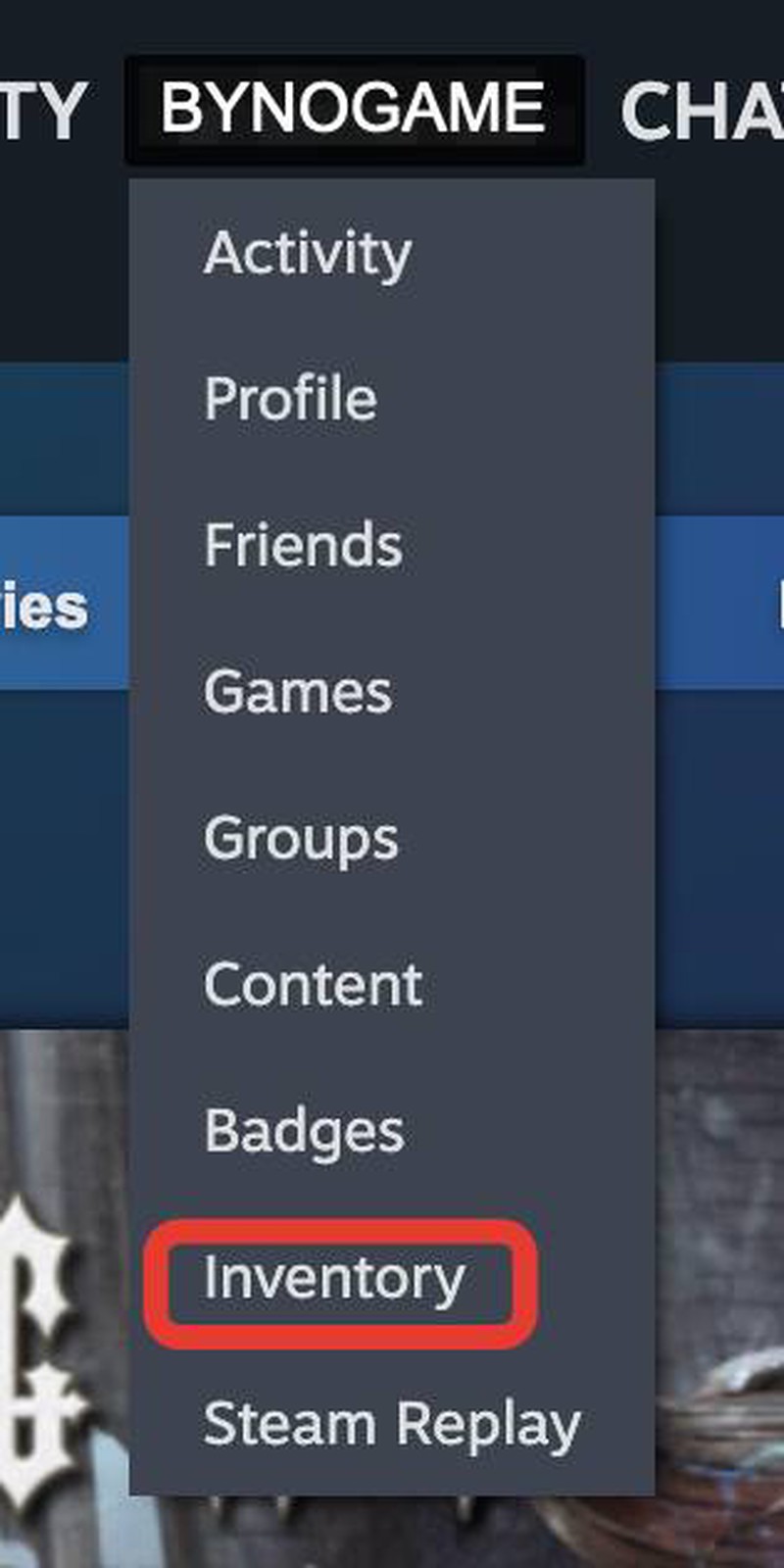
Then select "Inventory Privacy Settings" from the "..." next to "Trade Offers".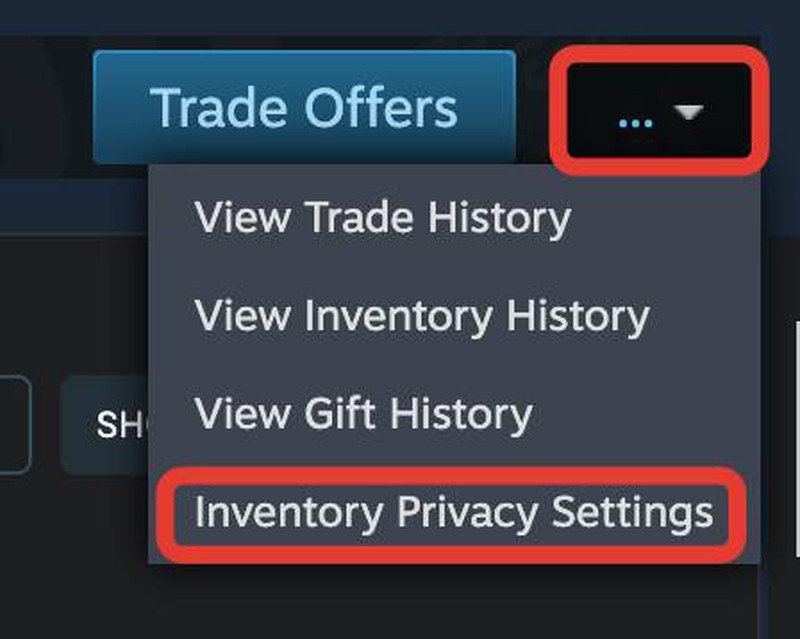
Mark the options marked in the image as "Public".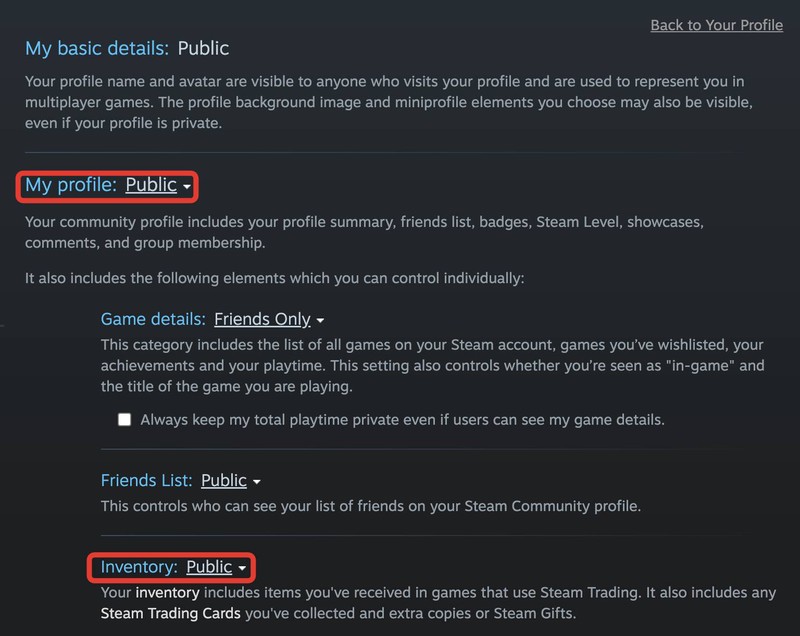
Congrats! You made your Steam Inventory Public. :)
To quickly access Inventory Privacy Settings, click here. ⬅️
Did this answer help you?
0 out of 0 people found this helpful