

How to disable IPv6?
Created: 10 months ago
IPv6 is an internet setting that can cause connection problems in some cases. If you are experiencing issues, you can disable this setting to have a much more stable and faster usage on ByNoGame.
What is IPv6?
IPv6 is the next-generation addressing system used in internet connections. However, some devices and networks do not fully support this system, so you may encounter unexpected problems during operation.
Disabling IPv6 on Windows
-
Open Control Panel → “Network and Sharing Center”.
-
Click on “Change adapter settings”.
-
Right-click on your internet connection (Wi-Fi or Ethernet) → Properties.
-
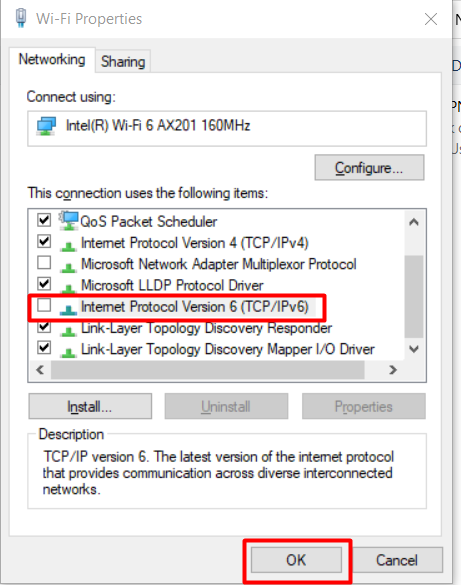
Uncheck the box for “Internet Protocol Version 6 (TCP/IPv6)” from the list.
-
Click OK and exit.
Disabling IPv6 on Mac
-
Apple Menu → Wi-fi Settings (or System Preferences).
-
Go to Network tab.
-
Select your active connection (Wi-Fi or Ethernet), then click the Details button.
-
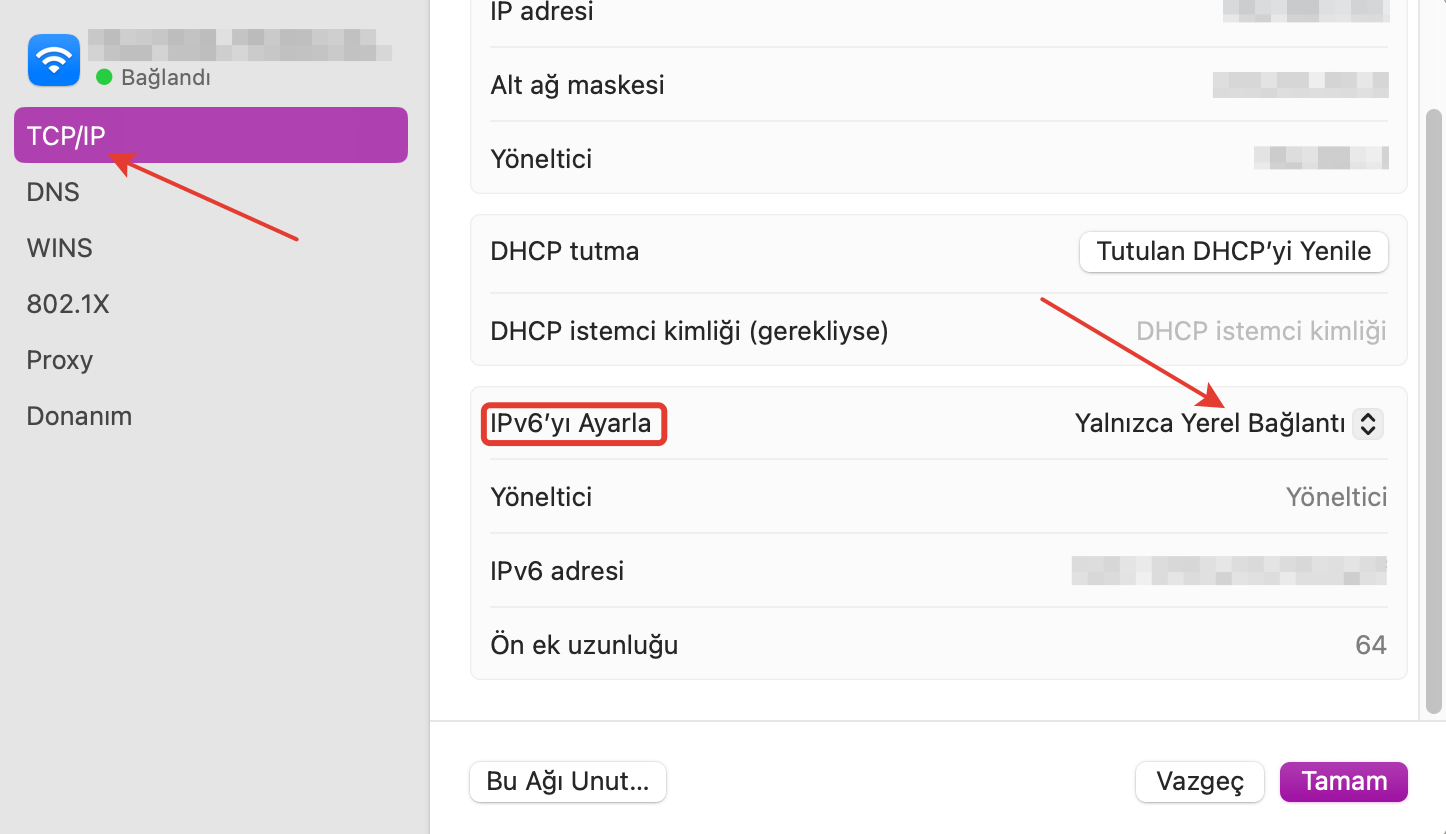
Go to TCP/IP tab.
-
Set “Configure IPv6” option to Manual or Link-local only.
-
Click OK to exit.
Did this answer help you?
0 out of 0 people found this helpful